
移動你的機器人#
Moving Your Robot
本教學將引導您使用 VEXcode GO 中的 drive for 模組來控制機器人前進和後退。教程結束時,您將完成一個可以控制機器人前進和後退的專案。
請確保您的機器人已配置驅動系統,以便在工具箱中看到驅動系統模組。如果您尚未新增驅動系統,請參閱配置設備。
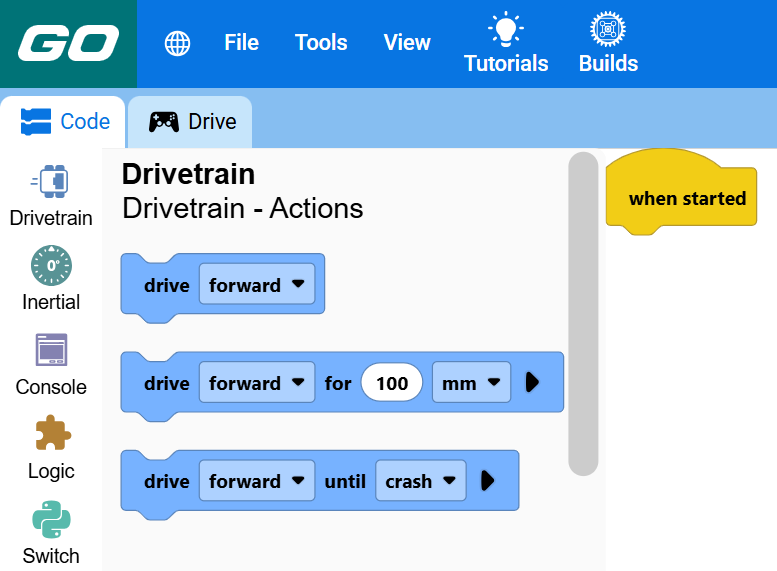
在 when started 模組下方連接兩個 drive for 模組。
啟動時,下方連接了兩個用於驅動模組的驅動器。#
當開始時 :: hat events
行駛 [前方 v] (100) [mm v] ▶
行駛 [前方 v] (100) [mm v] ▶
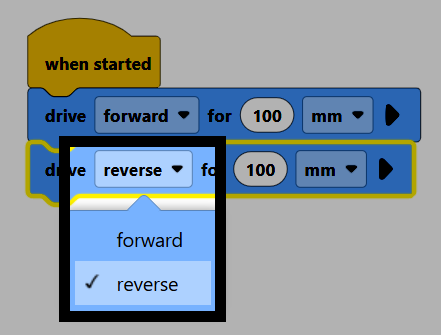
在第二個模組中,將方向參數變更為反轉。
Make sure your robot is connected to VEXcode, then select Start to run the project. The robot will drive forward, then drive the same distance in reverse.
