
Οθόνη#
Εισαγωγή#
Οι μέθοδοι οθόνης ελέγχουν τον τρόπο με τον οποίο το VEX AIR Drone Controller εμφανίζει κείμενο, αριθμούς, γραφικά και εικόνες στην οθόνη του, καθώς και τον τρόπο με τον οποίο ανταποκρίνεται στα πατήματα της οθόνης.
Παρακάτω είναι μια λίστα με τις διαθέσιμες μεθόδους:
Εκτύπωση δρομέα – Εμφάνιση κειμένου και διαχείριση του δρομέα εκτύπωσης.
print– Εκτυπώνει κείμενο, αριθμούς ή τιμές μεταβλητών στην τρέχουσα θέση του κέρσορα.set_cursor– Μετακινεί τον κέρσορα σε μια συγκεκριμένη γραμμή και στήλη.next_row– Μετακινεί τον κέρσορα στη στήλη 1 της επόμενης γραμμής.clear_row– Διαγράφει μια γραμμή κειμένου.get_row– Επιστρέφει τη γραμμή όπου θα εκτυπωθεί το κείμενο.get_column– Επιστρέφει τη στήλη όπου θα εκτυπωθεί το κείμενο.
Εκτύπωση XY – Εκτύπωση κειμένου σε συντεταγμένες βάσει pixel.
print_at– Εκτυπώνει κείμενο, αριθμούς ή τιμές μεταβλητών σε μια συγκεκριμένη συντεταγμένη x και y.set_origin– Ορίζει την αρχή που χρησιμοποιείται για εκτύπωση και σχεδίαση με βάση συντεταγμένες.
Μεταλλαγμένοι – Αλλάξτε τις ρυθμίσεις της οθόνης, τα χρώματα και τη συμπεριφορά σχεδίασης.
clear_screen– Διαγράφει όλα τα σχέδια, το κείμενο και τις εικόνες από την οθόνη του ελεγκτή.wait_for_render– Αλλάζει τη συμπεριφορά σχεδίασης οθόνης σε απόδοση αργότερα.set_font– Ορίζει τη γραμματοσειρά για το εκτυπωμένο κείμενο.set_pen_width– Ορίζει το πάχος των γραμμών που σχεδιάζονται και των περιγραμμάτων των σχημάτων.set_pen_color– Ορίζει το χρώμα του κειμένου, των pixel, των γραμμών και των περιγραμμάτων των σχημάτων.set_text_fill_color– Ορίζει το χρώμα γεμίσματος πίσω από το εκτυπωμένο κείμενο.set_fill_color– Ορίζει το χρώμα γεμίσματος για τα σχεδιασμένα σχήματα.
Σχεδίαση – Προσθήκη γραφικών και εικόνων στην οθόνη.
draw_pixel– Σχεδιάζει ένα pixel σε μια συγκεκριμένη θέση x και y.draw_line– Σχεδιάζει μια γραμμή μεταξύ δύο σημείων.draw_rectangle– Σχεδιάζει ένα ορθογώνιο χρησιμοποιώντας τα τρέχοντα χρώματα πένας και γεμίσματος.draw_circle– Σχεδιάζει έναν κύκλο χρησιμοποιώντας τα τρέχοντα χρώματα πένας και γεμίσματος.show_file– Σχεδιάζει μια εικόνα που έχει μεταφορτωθεί.
Αφή – Εντοπισμός και απόκριση σε πατήματα οθόνης.
pressing– Επιστρέφει εάν η οθόνη πατιέται τη δεδομένη στιγμή.x_position– Επιστρέφει τη συντεταγμένη x του τελευταίου πατήματος οθόνης.y_position– Επιστρέφει τη συντεταγμένη y του τελευταίου πατήματος οθόνης.
Επανακλήσεις – Εκτέλεση συναρτήσεων όταν πατηθεί ή απελευθερωθεί η οθόνη.
Εκτύπωση δρομέα#
print#
print εκτυπώνει κείμενο, αριθμούς ή τιμές μεταβλητών στην οθόνη του ελεγκτή στην τρέχουσα θέση κέρσορα και γραμματοσειρά.
Usage:
controller.screen.print(text)
Παράμετροι |
Περιγραφή |
|---|---|
|
Το κείμενο, ο αριθμός ή η τιμή μεταβλητής που θα εκτυπωθεί στην οθόνη. |
|
Προαιρετικό. Το διαχωριστικό μεταξύ του εκτυπωμένου κειμένου. Από προεπιλογή, |
|
Προαιρετικό. Η συμβολοσειρά που προστίθεται μετά το τελευταίο εκτυπωμένο κείμενο. Από προεπιλογή, |
|
Προαιρετικό. Ο αριθμός των δεκαδικών ψηφίων με τα οποία θα εκτυπώνεται ένας κινητήριος αριθμός ως ακέραιος αριθμός. Από προεπιλογή, ακρίβεια |
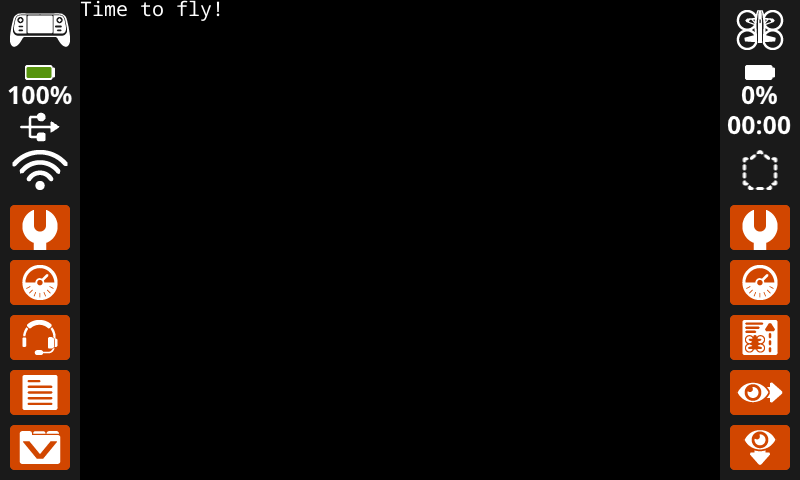
# Display a message at the starting cursor position.
controller.screen.print("Time to fly!")
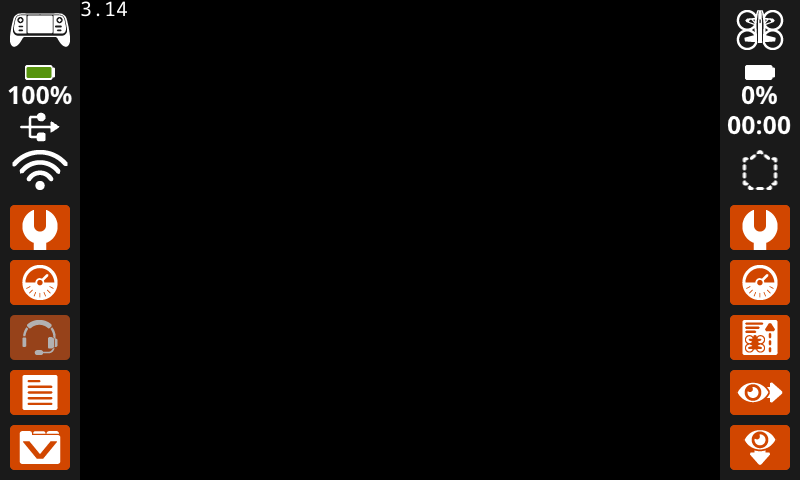
# Display the first 2 decimals of pi
controller.screen.print(3.1415, precision = 2)
set_cursor#
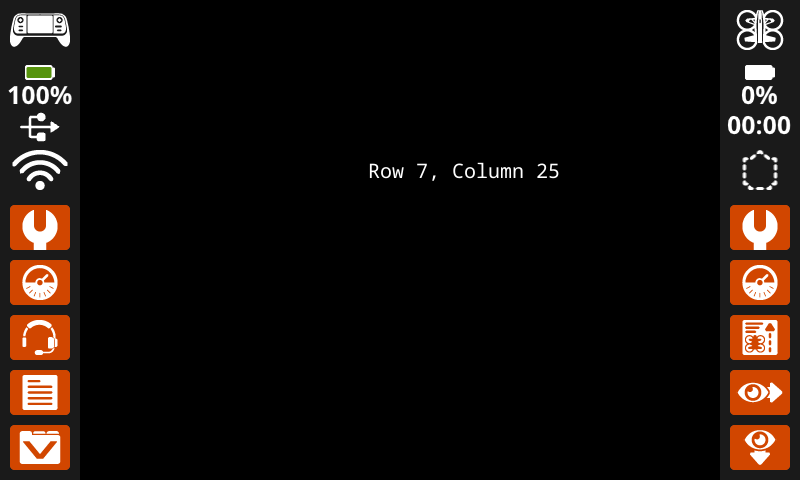
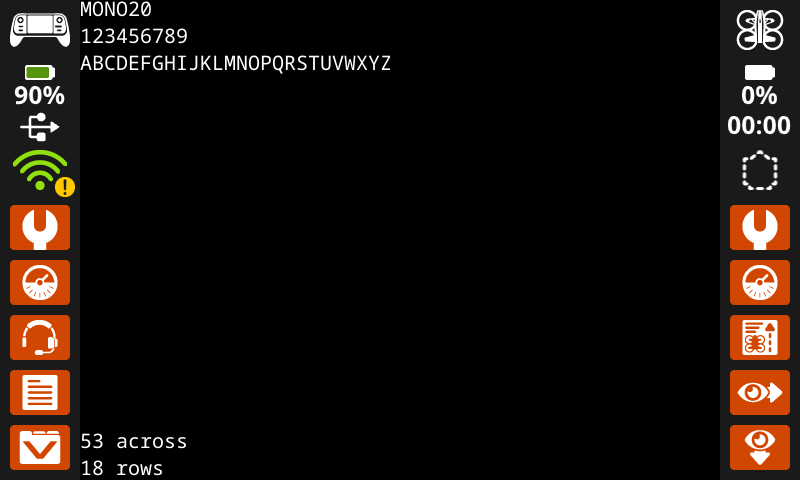
set_cursor μετακινεί τον κέρσορα σε μια συγκεκριμένη γραμμή και στήλη στην οθόνη του ελεγκτή. Η επόμενη κλήση print θα ξεκινήσει την εκτύπωση σε αυτήν τη θέση. Η απόσταση μεταξύ γραμμών και στηλών θα λαμβάνει υπόψη την επιλεγμένη γραμματοσειρά. Με την προεπιλεγμένη γραμματοσειρά monospaced medium, η οθόνη μπορεί να εμφανίσει ευκρινώς έως και 18 γραμμές και 53 στήλες. Το κείμενο που τοποθετείται πέρα από αυτό το εύρος ενδέχεται να είναι κομμένο ή πιο δύσκολο να διαβαστεί.
Usage:
controller.screen.set_cursor(row, col)
Παράμετροι |
Περιγραφή |
|---|---|
|
Η γραμμή στην οποία θα μετακινηθεί ο κέρσορας. |
|
Η στήλη στην οποία θα μετακινηθεί ο κέρσορας. |
# Display text starting at Row 7 Column 25.
controller.screen.set_cursor(row=7, col=25)
controller.screen.print("Row 7, Column 25")
next_row#
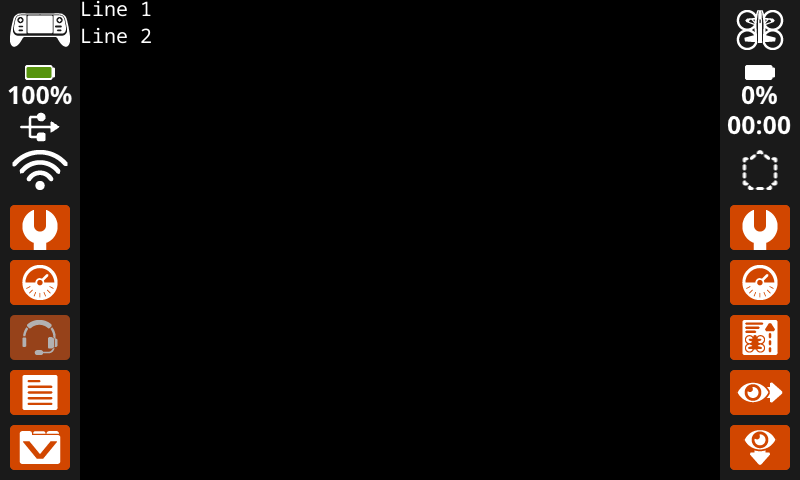
next_row μετακινεί τον κέρσορα στη στήλη 1 στην επόμενη γραμμή στην οθόνη του ελεγκτή.
Usage:
controller.screen.next_row()
Παράμετροι |
Περιγραφή |
|---|---|
Αυτή η μέθοδος δεν έχει παραμέτρους. |
# Display two lines of text.
controller.screen.print("Line 1")
controller.screen.next_row()
controller.screen.print("Line 2")
clear_row#
clear_row διαγράφει μια γραμμή κειμένου στην οθόνη του ελεγκτή.
Usage:
controller.screen.clear_row(row, color)
Παράμετρος |
Περιγραφή |
|---|---|
|
Προαιρετικό. Η γραμμή που θα διαγραφεί. Η προεπιλογή είναι η τρέχουσα γραμμή του δρομέα. |
|
Προαιρετικό. Το χρώμα που θα εφαρμοστεί στην καθαρισμένη σειρά. Εάν δεν καθοριστεί κάποιο χρώμα, χρησιμοποιείται το
GREEN |
# Clear only the second row of text
controller.screen.print("This text stays")
controller.screen.next_row()
controller.screen.print("This text disappears")
wait(3, SECONDS)
controller.screen.clear_row(2)
# Turn the 5th row green.
controller.screen.clear_row(5, GREEN)
get_row#
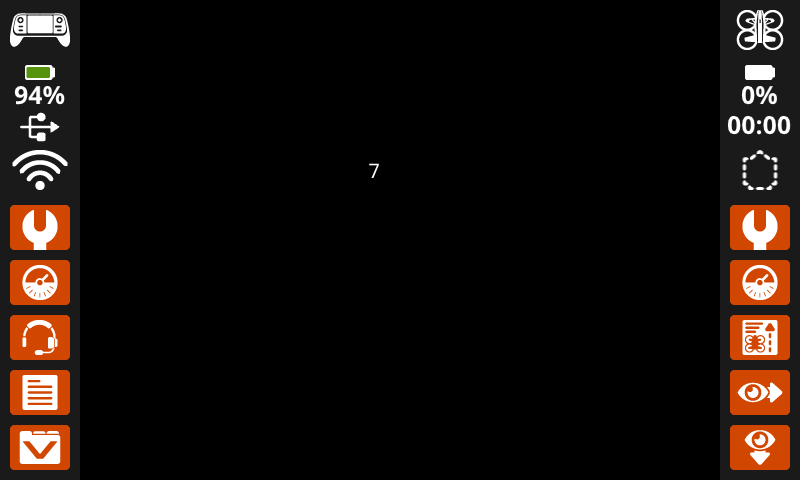
Η συνάρτηση get_row επιστρέφει την τρέχουσα γραμμή όπου θα εκτυπωθεί το κείμενο, ως ακέραιο αριθμό.
Usage:
controller.screen.get_row()
Παράμετροι |
Περιγραφή |
|---|---|
Αυτή η μέθοδος δεν έχει παραμέτρους. |
# Display the cursor's current row.
controller.screen.set_cursor(row=7, col=25)
controller.screen.print(controller.screen.get_row())
get_column#
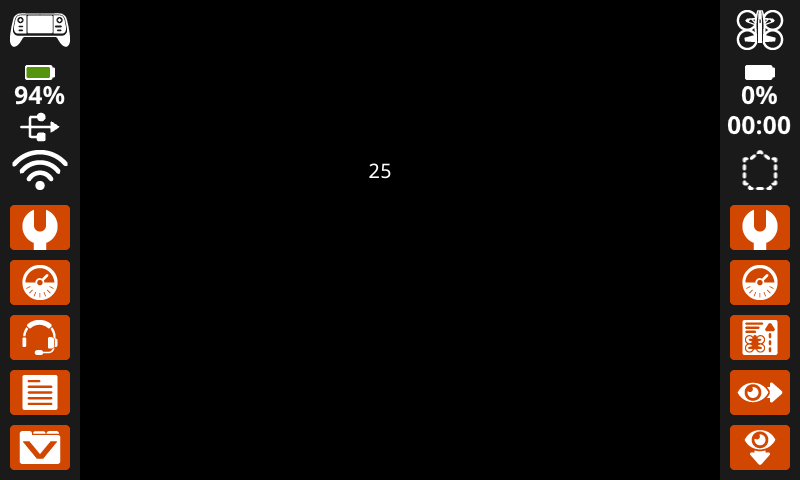
Η συνάρτηση get_column επιστρέφει την τρέχουσα στήλη όπου θα εκτυπωθεί το κείμενο, ως ακέραιο αριθμό.
Usage:
controller.screen.get_column()
Παράμετροι |
Περιγραφή |
|---|---|
Αυτή η μέθοδος δεν έχει παραμέτρους. |
# Display the cursor's current column.
controller.screen.set_cursor(row=7, col=25)
controller.screen.print(controller.screen.get_column())
Εκτύπωση XY#
print_at#
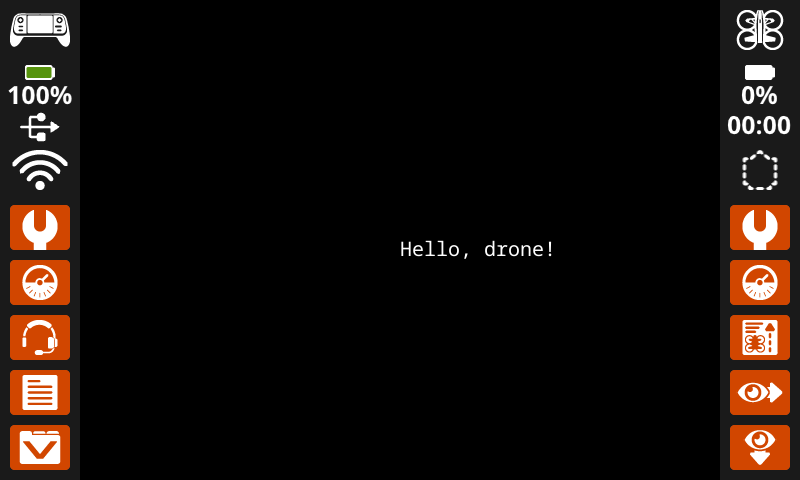
Η συνάρτηση print_at εκτυπώνει κείμενο, αριθμούς ή τιμές μεταβλητών στην οθόνη του ελεγκτή σε μια συγκεκριμένη θέση (x, y) σε pixel, χρησιμοποιώντας την τρέχουσα font και origin. Η συνάρτηση x ορίζει την απόσταση από την αριστερή πλευρά που ξεκινά το κείμενο και η συνάρτηση y ορίζει την τοποθεσία του κάτω μέρους των γραμμάτων. Αυτή η μέθοδος αγνοεί την τρέχουσα θέση του κέρσορα.
Usage:
controller.screen.print_at(text, x, y)
Παράμετρος |
Περιγραφή |
|---|---|
|
Το κείμενο, ο αριθμός ή η τιμή μεταβλητής που θα εκτυπωθεί στην οθόνη. |
|
Η οριζόντια θέση του κειμένου, ως ακέραιος αριθμός από 0 έως 640 pixel. Το 0 είναι αριστερά και το 640 δεξιά. |
|
Η κατακόρυφη θέση του κειμένου, ως ακέραιος αριθμός από 0 έως 480 pixel. Το 0 είναι το πάνω μέρος και το 480 το κάτω. |
# Display a message in the middle of the screen.
controller.screen.print_at("Hello, drone!", x=320, y=240)
set_origin#
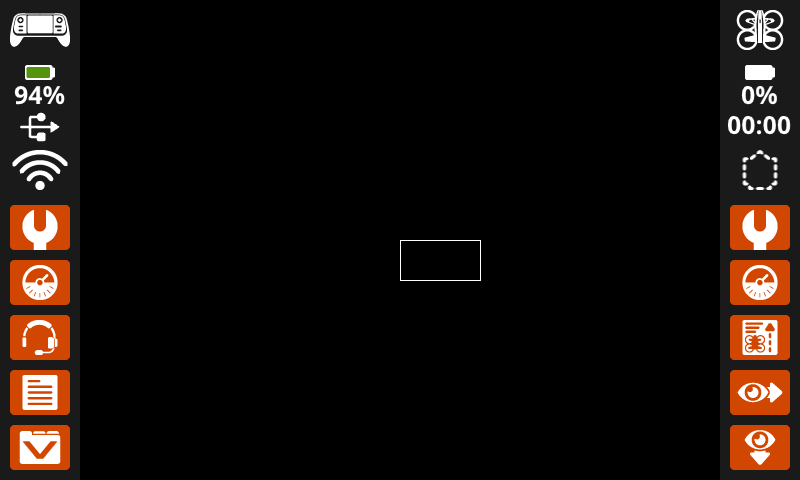
set_origin ορίζει την αρχή (0, 0) που χρησιμοποιείται για το σχέδιο και την εκτύπωση με βάση τις συντεταγμένες στην οθόνη του ελεγκτή. Από προεπιλογή, η αρχή είναι η επάνω αριστερή γωνία της οθόνης. Αυτή η μέθοδος μπορεί να επαναφέρει την αρχή σε μια εναλλακτική θέση συντεταγμένων (x, y) στην οθόνη.
Usage:
controller.screen.set_origin(x, y)
Παράμετρος |
Περιγραφή |
|---|---|
|
Η νέα συντεταγμένη x που θα οριστεί ως αρχή, δίνεται ως ακέραιος αριθμός από 0 έως 640. |
|
Η νέα συντεταγμένη y που θα οριστεί ως αρχή, δίνεται ως ακέραιος αριθμός από 0 έως 480. |
# Set the origin to the center of the screen.
controller.screen.set_origin(x=320, y=240)

# Draw a rectangle at the new origin.
controller.screen.draw_rectangle(x=0, y=0, width=80, height=40)
Μεταλλάκτες#
clear_screen#
clear_screen διαγράφει όλα τα σχέδια, το κείμενο και τις εικόνες από την οθόνη του ελεγκτή.
Usage:
controller.screen.clear_screen(row, col, color)
Παράμετρος |
Περιγραφή |
|---|---|
|
Προαιρετικό. Η γραμμή στην οποία θα μετακινηθεί ο κέρσορας μετά την εκκαθάριση της οθόνης. Η προεπιλογή είναι 1. |
|
Προαιρετικό. Η στήλη στην οποία θα μετακινηθεί ο κέρσορας μετά την εκκαθάριση της οθόνης. Η προεπιλογή είναι 1. |
|
Optional. Sets the screen color. If
|
# Draw a circle, and clear it after 2 seconds.
controller.screen.draw_circle(x=320, y=240, radius=80)
wait(2, SECONDS)
controller.screen.clear_screen()
# Print two messages in the same spot
controller.screen.print("Hello!")
wait(3,SECONDS)
controller.screen.clear_screen(row=1, col=1)
controller.screen.print("Goodbye!")
# Set the background color of the screen to red.
controller.screen.clear_screen(color=RED)
wait_for_render#
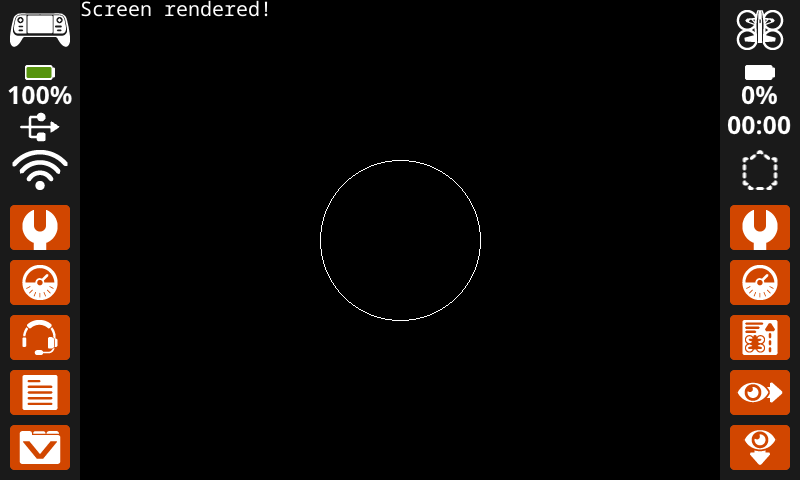
wait_for_render αλλάζει τη συμπεριφορά σχεδίασης οθόνης σε render-later. Μόλις εκτελεστεί αυτή η μέθοδος, οι ακόλουθες εντολές οθόνης δεν θα εμφανίζονται στην οθόνη του ελεγκτή μέχρι να εκτελεστεί η επόμενη wait_for_render.
Σημείωση: Χρησιμοποιήστε αυτό πριν σχεδιάσετε μια ομάδα κειμένου, σχημάτων ή εικόνων και, στη συνέχεια, χρησιμοποιήστε το ξανά για να αποδώσετε την πλήρη ενημέρωση ταυτόχρονα.
Usage:
controller.screen.wait_for_render()
Παράμετρος |
Περιγραφή |
|---|---|
Αυτή η μέθοδος δεν έχει παραμέτρους. |
# Display text and images when button 7 is pressed.
controller.screen.wait_for_render()
controller.screen.print("Screen rendered!")
controller.screen.draw_circle(x=320, y=240, radius=80)
while not controller.button7.pressing():
    wait(5, MSEC)
controller.screen.wait_for_render()
set_font#
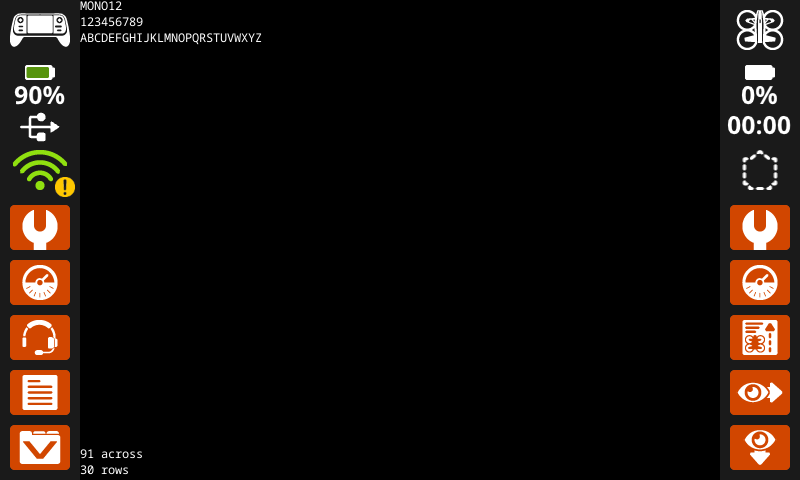
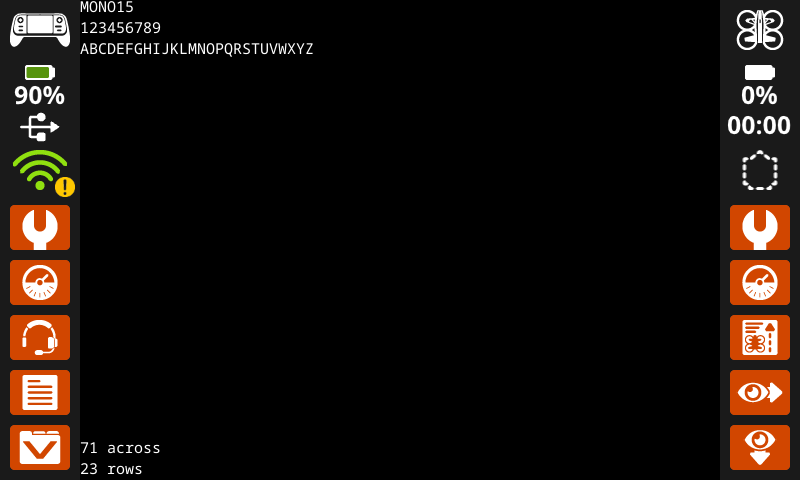
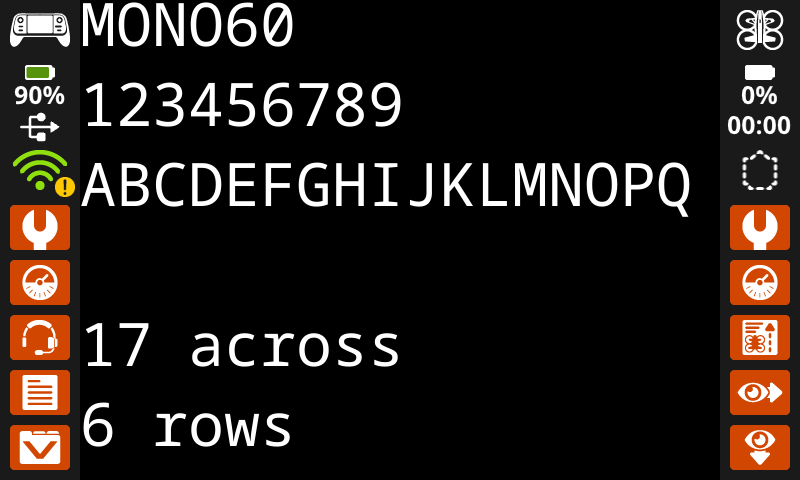
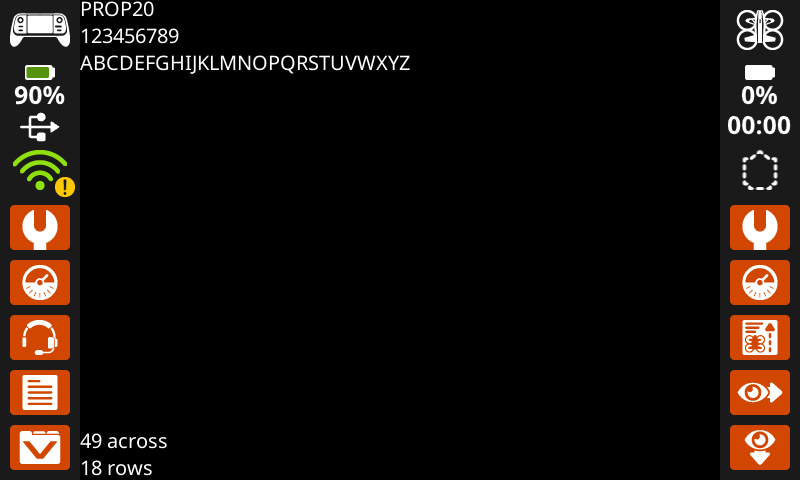
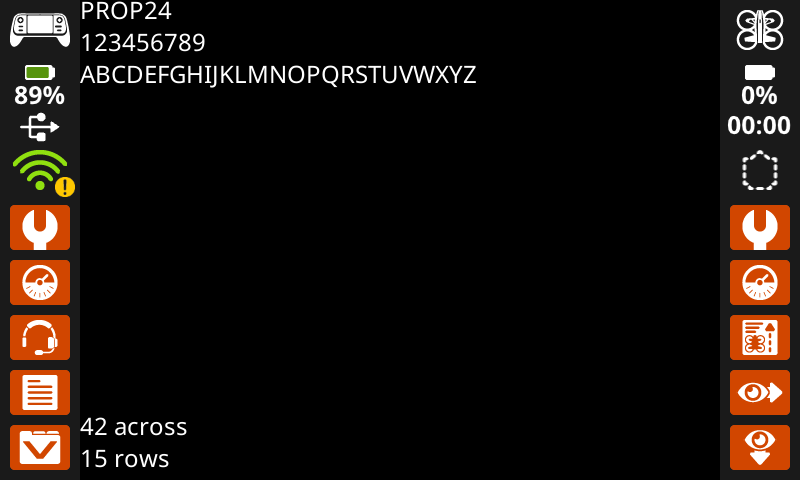
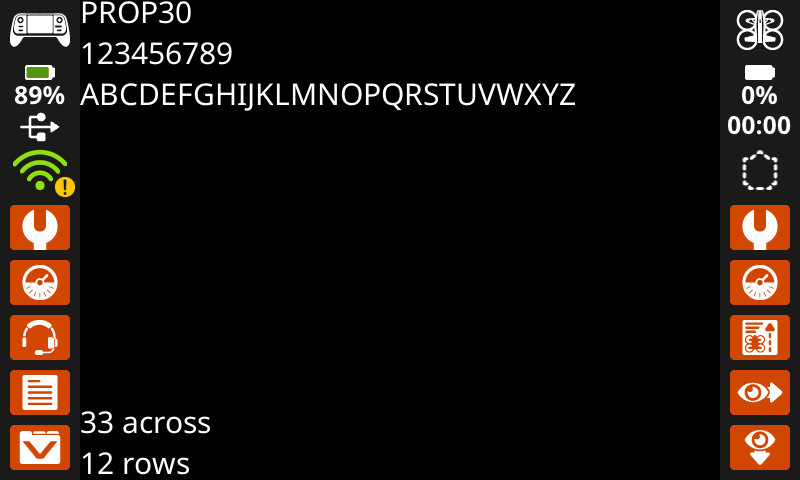
set_font ορίζει τη γραμματοσειρά που χρησιμοποιείται για την εμφάνιση κειμένου στην οθόνη του ελεγκτή. Αυτή η γραμματοσειρά θα εφαρμοστεί σε όλο το κείμενο που εκτυπώνεται μετά την εκτέλεση αυτής της μεθόδου. Η προεπιλεγμένη γραμματοσειρά στην αρχή ενός έργου είναι MONO20.
Usage:
controller.screen.set_font(fontname)
Παράμετρος |
Περιγραφή |
|---|---|
|
Ορίζει τη γραμματοσειρά σε μία από τις ακόλουθες:
|
|
|
|
|---|---|---|
|
|
|
|
|
|
|
|
|
|
|
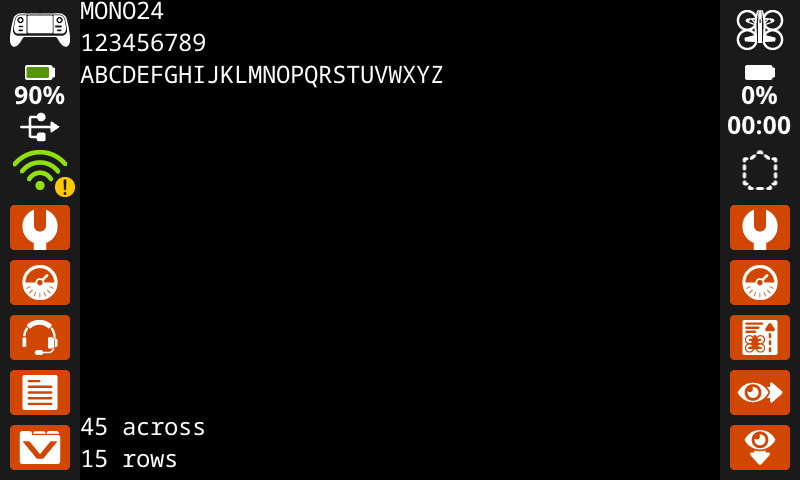
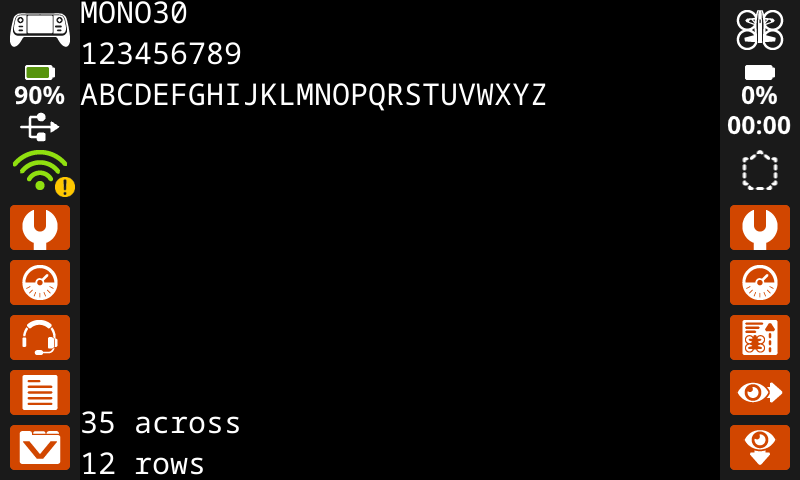
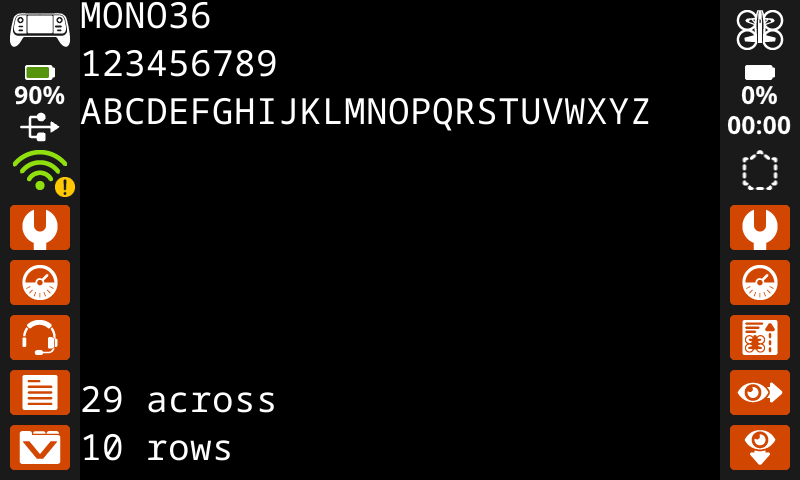
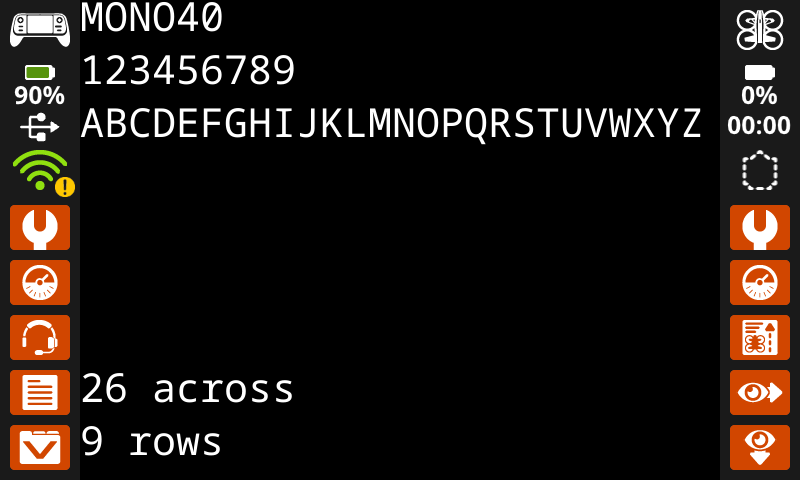
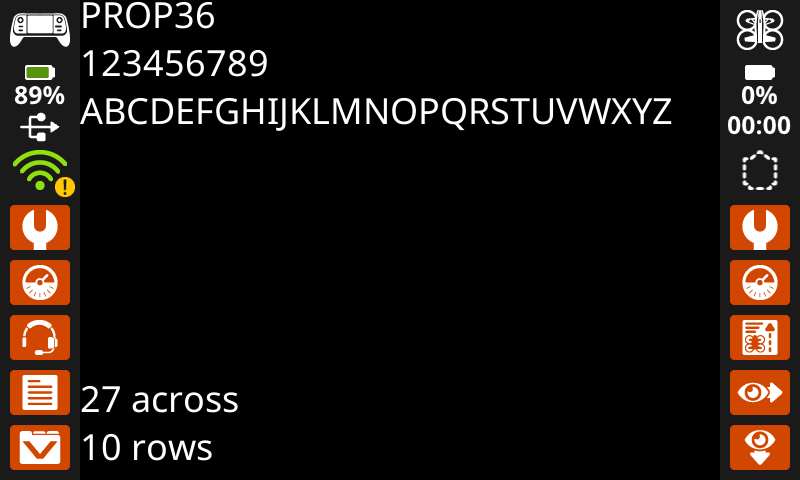
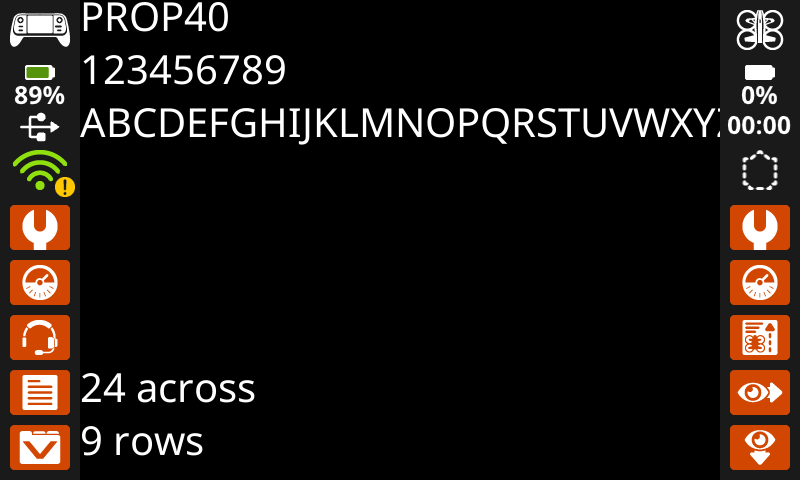
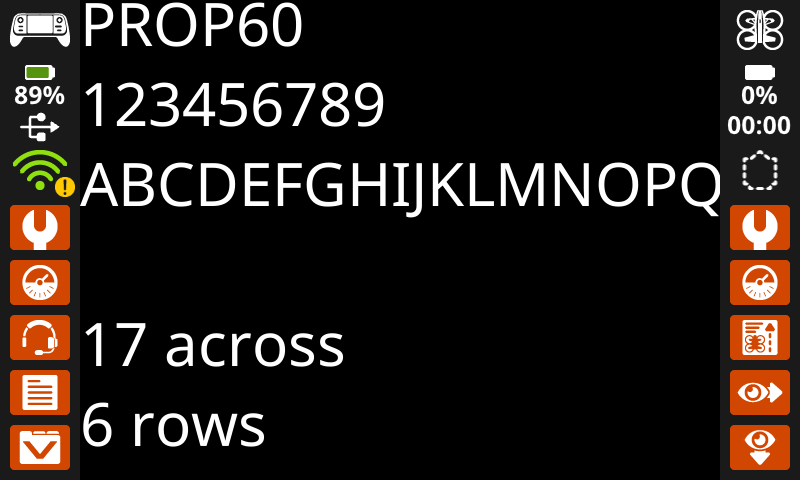
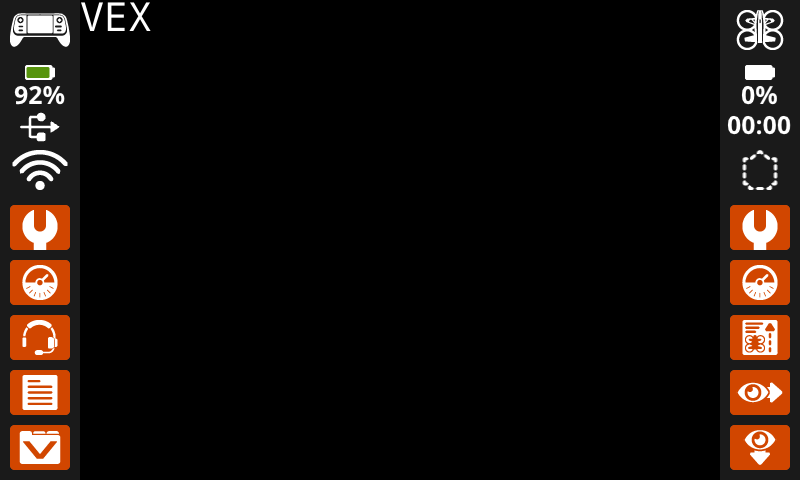
# Display text using a larger font.
controller.screen.set_font(MONO40)
controller.screen.print("VEX")
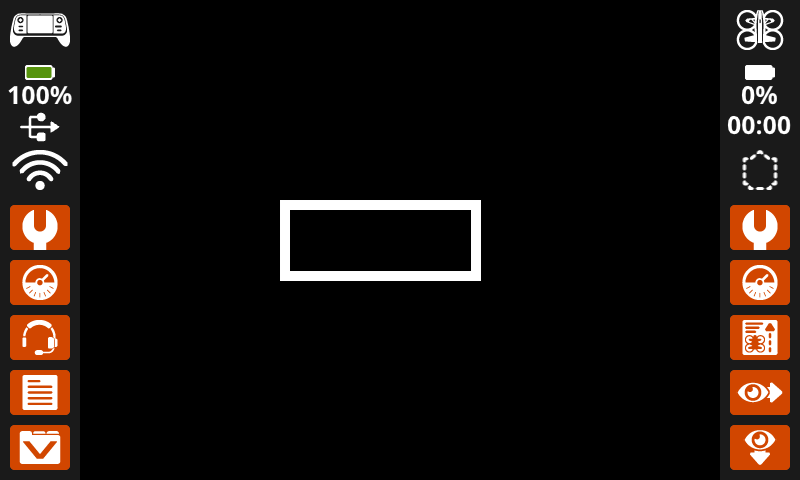
set_pen_width#
set_pen_width ορίζει το πάχος των γραμμών που σχεδιάζονται και των περιγραμμάτων των σχημάτων.
Usage:
controller.screen.set_pen_width(width)
Παράμετρος |
Περιγραφή |
|---|---|
|
Το πλάτος της πένας, που δίνεται ως ακέραιος αριθμός σε pixel. |
# Draw a rectangle with a pen width of 10.
controller.screen.set_pen_width(10)
controller.screen.draw_rectangle(x=200, y=200, width=200, height=80)
set_pen_color#
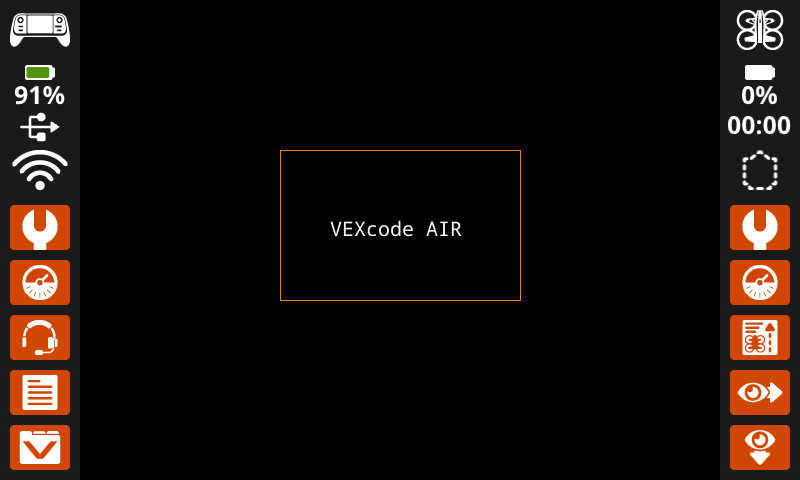
set_pen_color ορίζει το χρώμα του κειμένου, των pixel, των γραμμών και των περιγραμμάτων των σχημάτων.
Usage:
controller.screen.set_pen_color(color)
Παράμετρος |
Περιγραφή |
|---|---|
|
Προαιρετικό. Ορίζει το χρώμα της πένας και της γραμματοσειράς. Οι επιλογές περιλαμβάνουν:
|
# Draw a rectangle with an orange outline.
controller.screen.set_pen_color(ORANGE)
controller.screen.draw_rectangle(x=200, y=150, width=240, height=150)
controller.screen.set_pen_color(WHITE)
controller.screen.print_at("VEXcode AIR", x=250, y=220)
set_text_fill_color#
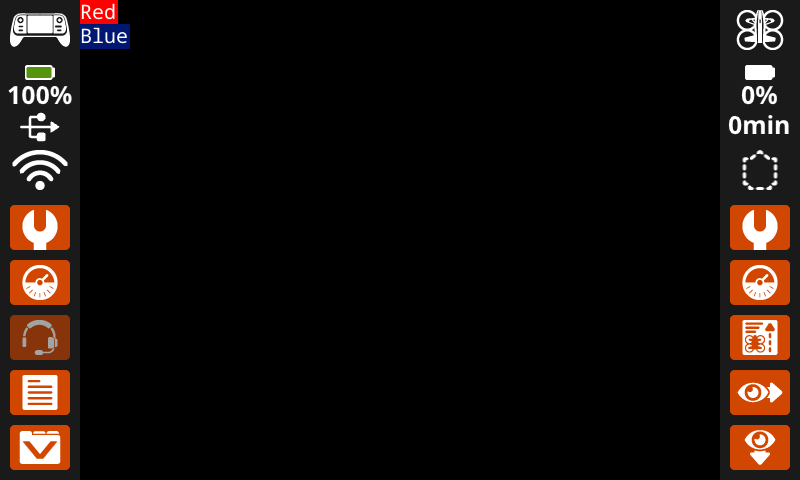
set_text_fill_color ορίζει το χρώμα γεμίσματος πίσω από το εκτυπωμένο κείμενο. Το προεπιλεγμένο χρώμα γεμίσματος κειμένου είναι διαφανές.
Usage:
controller.screen.set_text_fill_color(color)
Παράμετρος |
Περιγραφή |
|---|---|
|
Προαιρετικό. Ορίζει το χρώμα γεμίσματος κειμένου. Οι επιλογές περιλαμβάνουν:
|
# Display two colors behind text
controller.screen.set_text_fill_color(RED)
controller.screen.print("Red")
controller.screen.next_row()
controller.screen.set_text_fill_color(BLUE)
controller.screen.print("Blue")
set_fill_color#
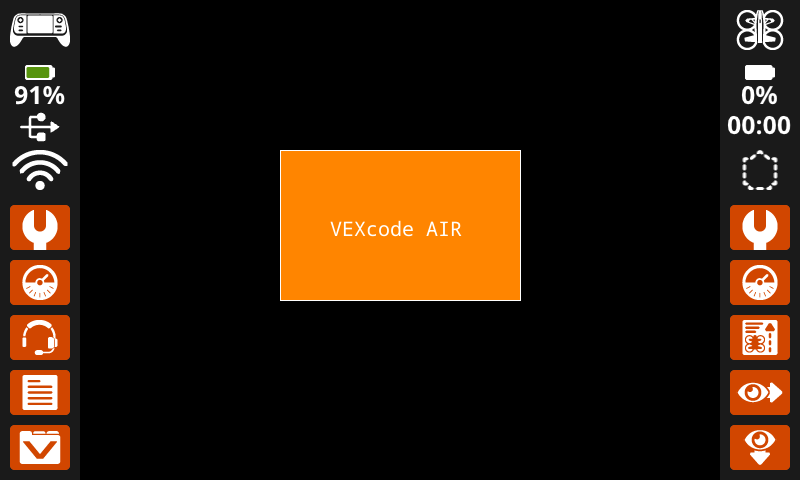
set_fill_color ορίζει το χρώμα γεμίσματος που χρησιμοποιείται κατά τη σχεδίαση σχημάτων. Το προεπιλεγμένο χρώμα γεμίσματος είναι το μαύρο.
Usage:
controller.screen.set_fill_color(color)
Παράμετρος |
Περιγραφή |
|---|---|
|
Προαιρετικό. Ορίζει το χρώμα γεμίσματος. Οι επιλογές περιλαμβάνουν:
|
# Draw an orange-filled rectangle with text on top
controller.screen.set_fill_color(ORANGE)
controller.screen.draw_rectangle(x=200, y=150, width=250, height=150)
controller.screen.print_at("VEXcode AIR", x=250, y=220)
Ισοπαλία#
draw_pixel#
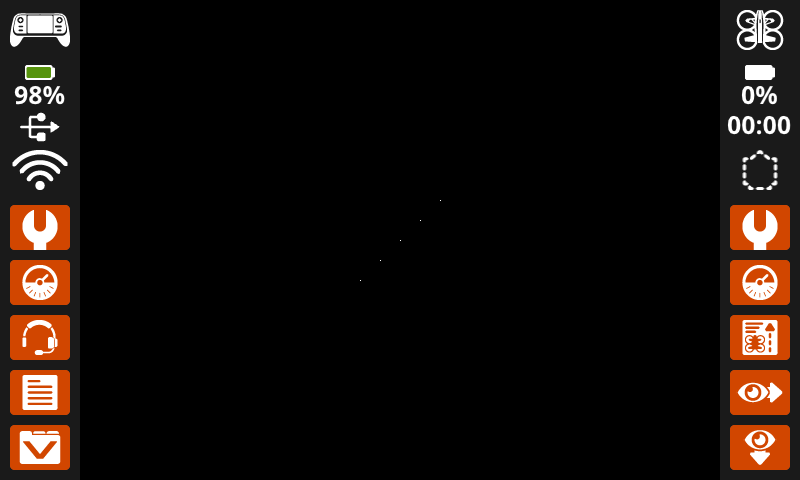
draw_pixel σχεδιάζει ένα pixel στην επιλεγμένη συντεταγμένη x και y χρησιμοποιώντας το τρέχον χρώμα πένας.
Usage:
controller.screen.draw_pixel(x, y)
Παράμετρος |
Περιγραφή |
|---|---|
|
Η συντεταγμένη x όπου θα σχεδιαστεί το εικονοστοιχείο, η οποία δίνεται ως ακέραιος αριθμός από 0 έως 640. |
|
Η συντεταγμένη y όπου θα σχεδιαστεί το εικονοστοιχείο, η οποία δίνεται ως ακέραιος αριθμός από 0 έως 480. |
# Draw five pixels in a diagonal.
controller.screen.draw_pixel(x=360, y=200)
controller.screen.draw_pixel(x=340, y=220)
controller.screen.draw_pixel(x=320, y=240)
controller.screen.draw_pixel(x=300, y=260)
controller.screen.draw_pixel(x=280, y=280)
draw_line#
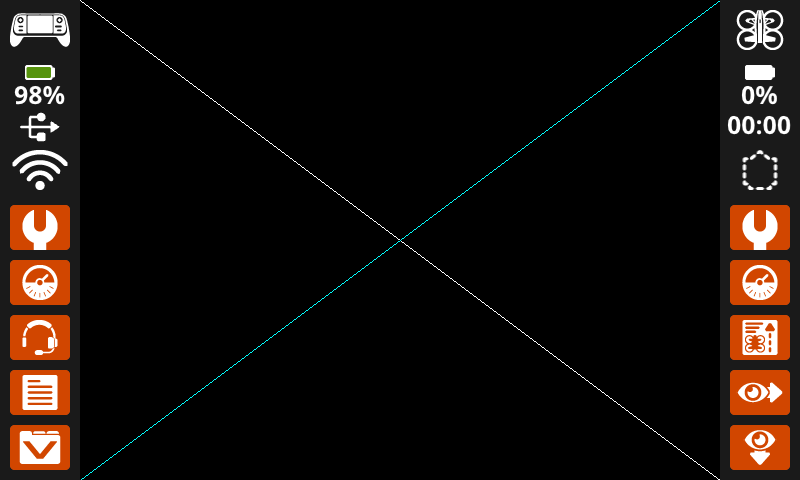
draw_line σχεδιάζει μια γραμμή από την πρώτη συντεταγμένη οθόνης (x1, y1) έως τη δεύτερη συντεταγμένη οθόνης (x2, y2) χρησιμοποιώντας τα τρέχοντα πλάτος πένας και χρώμα πένας.
Οι συντεταγμένες x και y χρησιμοποιούν την προεπιλεγμένη αρχή (0, 0), εκτός εάν έχει οριστεί διαφορετική αρχή χρησιμοποιώντας το set_origin.
Usage:
controller.screen.draw_line(x1, y1, x2, y2)
Παράμετρος |
Περιγραφή |
|---|---|
|
Η αρχική συντεταγμένη x της γραμμής, που δίνεται ως ακέραιος αριθμός από 0 έως 640. |
|
Η αρχική συντεταγμένη y της γραμμής, που δίνεται ως ακέραιος αριθμός από 0 έως 480. |
|
Η τελική συντεταγμένη x της γραμμής, που δίνεται ως ακέραιος αριθμός από 0 έως 640. |
|
Η τελική συντεταγμένη y της γραμμής, η οποία δίνεται ως ακέραιος αριθμός από 0 έως 480. |
# Make an X across the screen.
controller.screen.draw_line(x1=0, y1=0, x2=640, y2=480)
controller.screen.set_pen_color(CYAN)
controller.screen.draw_line(x1=0, y1=480, x2=640, y2=0)
draw_rectangle#
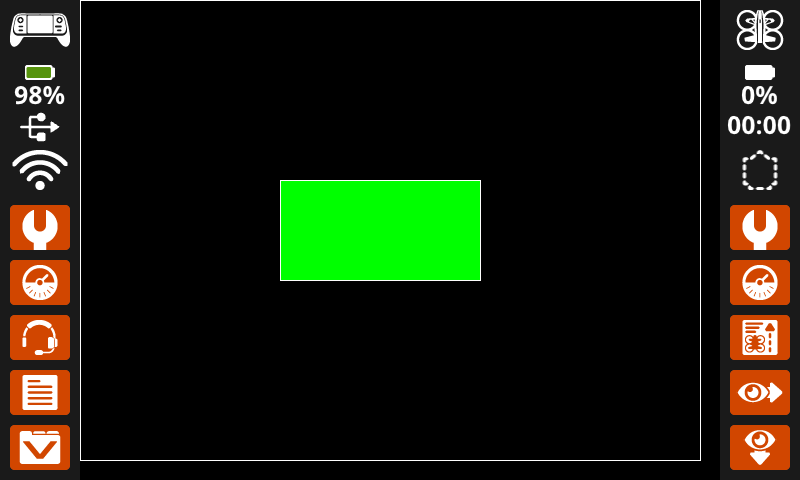
draw_rectangle σχεδιάζει ένα ορθογώνιο χρησιμοποιώντας τις τρέχουσες παραμέτρους πλάτος πένας, χρώμα πένας και χρώμα γεμίσματος, εκτός εάν χρησιμοποιείται η προαιρετική παράμετρος color.
Οι συντεταγμένες x και y χρησιμοποιούν την προεπιλεγμένη αρχή (0, 0), εκτός εάν έχει οριστεί διαφορετική αρχή χρησιμοποιώντας το set_origin.
Usage:
controller.screen.draw_rectangle(x, y, width, height, color)
Παράμετρος |
Περιγραφή |
|---|---|
|
Η συντεταγμένη x της επάνω αριστερής γωνίας του ορθογωνίου, που δίνεται ως ακέραιος αριθμός από 0 έως 640. |
|
Η συντεταγμένη y της επάνω αριστερής γωνίας του ορθογωνίου, που δίνεται ως ακέραιος αριθμός από 0 έως 480. |
|
Το πλάτος του ορθογωνίου, που δίνεται ως ακέραιος αριθμός από 0 έως 640. |
|
Το ύψος του ορθογωνίου, που δίνεται ως ακέραιος αριθμός από 0 έως 480. |
|
Προαιρετικό. Ορίζει το χρώμα γεμίσματος του ορθογωνίου. Οι επιλογές περιλαμβάνουν:
|
# Draw two rectangles on the screen.
controller.screen.draw_rectangle(x=0, y=0, width=620, height=460)
controller.screen.draw_rectangle(x=200, y=180, width=200, height=100, color=GREEN)
draw_circle#
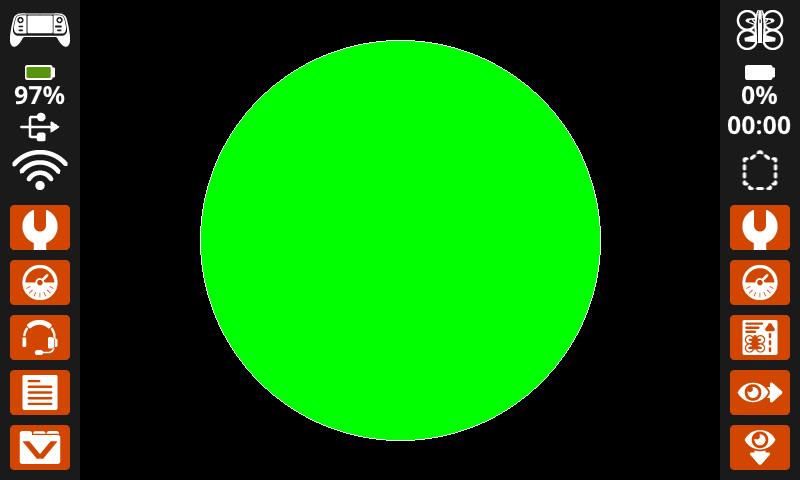
draw_circle σχεδιάζει έναν κύκλο χρησιμοποιώντας τις τρέχουσες παραμέτρους πλάτος πένας, χρώμα πένας και χρώμα γεμίσματος, εκτός εάν χρησιμοποιείται η προαιρετική παράμετρος color.
Οι συντεταγμένες x και y χρησιμοποιούν την προεπιλεγμένη αρχή (0, 0), εκτός εάν έχει οριστεί διαφορετική αρχή χρησιμοποιώντας το set_origin.
Usage:
controller.screen.draw_circle(x, y, radius, color)
Παράμετρος |
Περιγραφή |
|---|---|
|
Η συντεταγμένη x του κέντρου του κύκλου, που δίνεται ως ακέραιος αριθμός από 0 έως 640. |
|
Η συντεταγμένη y του κέντρου του κύκλου, που δίνεται ως ακέραιος αριθμός από 0 έως 480. |
|
Η ακτίνα του κύκλου, που δίνεται ως ακέραιος αριθμός από 0 έως 480 pixel. |
|
Προαιρετικό. Ορίζει το χρώμα γεμίσματος του κύκλου. Οι επιλογές περιλαμβάνουν:
|
# Draw one green circle on the screen.
controller.screen.set_fill_color(GREEN)
controller.screen.draw_circle(x=320, y=240, radius=200, color=GREEN)
show_file#
show_file σχεδιάζει μια προσαρμοσμένη εικόνα που έχει μεταφορτωθεί στην οθόνη του ελεγκτή σε θέση x και y, με προαιρετική κλιμάκωση, περιστροφή και διαφάνεια άλφα.
Usage:
controller.screen.show_file(file, x, y, scale_width, scale_height, rotation, use_alpha)
Παράμετρος |
Περιγραφή |
|---|---|
|
Η εικόνα που έχει ανεβάσει ο χρήστης προς χρήση. Οι επιλογές θα αλλάξουν εάν τα ονόματα των εικόνων υποστούν επεξεργασία στον Πίνακα Ελέγχου. |
|
Η οριζόντια μετατόπιση για την εικόνα, που δίνεται ως ακέραιος αριθμός σε pixel. Οι θετικές τιμές την μετακινούν προς τα δεξιά, ενώ οι αρνητικές τιμές την μετακινούν προς τα αριστερά. |
|
Η κατακόρυφη μετατόπιση για την εικόνα, που δίνεται ως ακέραιος αριθμός σε pixel. Οι θετικές τιμές την μετακινούν προς τα κάτω, ενώ οι αρνητικές τιμές την μετακινούν προς τα πάνω. |
|
Προαιρετικό. Το πλάτος της εικόνας στο οποίο γίνεται κλιμάκωση, δίνεται ως ακέραιος αριθμός σε pixel. |
|
Προαιρετικό. Το ύψος της εικόνας στο οποίο γίνεται κλιμάκωση, δίνεται ως ακέραιος αριθμός σε pixel. |
|
Προαιρετικό. Ο αριθμός των μοιρών για την περιστροφή της εικόνας, που δίνεται ως ακέραιος αριθμός από 0 έως 359. |
|
Προαιρετικό. Εάν θα χρησιμοποιηθεί το κανάλι άλφα της εικόνας για διαφάνεια. Οι επιλογές περιλαμβάνουν: |
# Display uploaded Image 1 in the top left corner.
controller.screen.show_file(IMAGE1, x=0, y=0)
# Display uploaded Image 1 scaled to the full screen.
controller.screen.show_file(IMAGE1, x=65, y=0, scale_width=640, scale_height=480)
# Display uploaded Image 1 with rotation of 180 degrees.
controller.screen.show_file(IMAGE1, x=-65, y=0, rotation=180)
# Upload an image with a transparent background.
# Display uploaded Image 1 with alpha channel enabled.
controller.screen.show_file(IMAGE1, x=0, y=0, use_alpha=True)
Επαφή#
pressing#
Το πάτημα του pressing επιστρέφει μια λογική τιμή που υποδεικνύει εάν η οθόνη του ρομπότ πατιέται αυτήν τη στιγμή.
True– Πατιέται η οθόνη.False– Δεν πατιέται η οθόνη.
Usage:
controller.screen.pressing()
Παράμετροι |
Περιγραφή |
|---|---|
Αυτή η μέθοδος δεν έχει παραμέτρους. |
# Play a sound when the screen is pressed.
while True:
    if controller.screen.pressing():
        controller.sound.play_note("C5", 500)
    wait(5, MSEC)
# Display different messages after the screen is pressed
while not controller.screen.pressing():
    wait(5, MSEC)
controller.screen.print("First message!")
controller.screen.next_row()
# Lift finger to press the screen again
while controller.screen.pressing():
    wait(5, MSEC)
while not controller.screen.pressing():
    wait(5, MSEC)
controller.screen.print("Second message!")
controller.screen.next_row()
x_position#
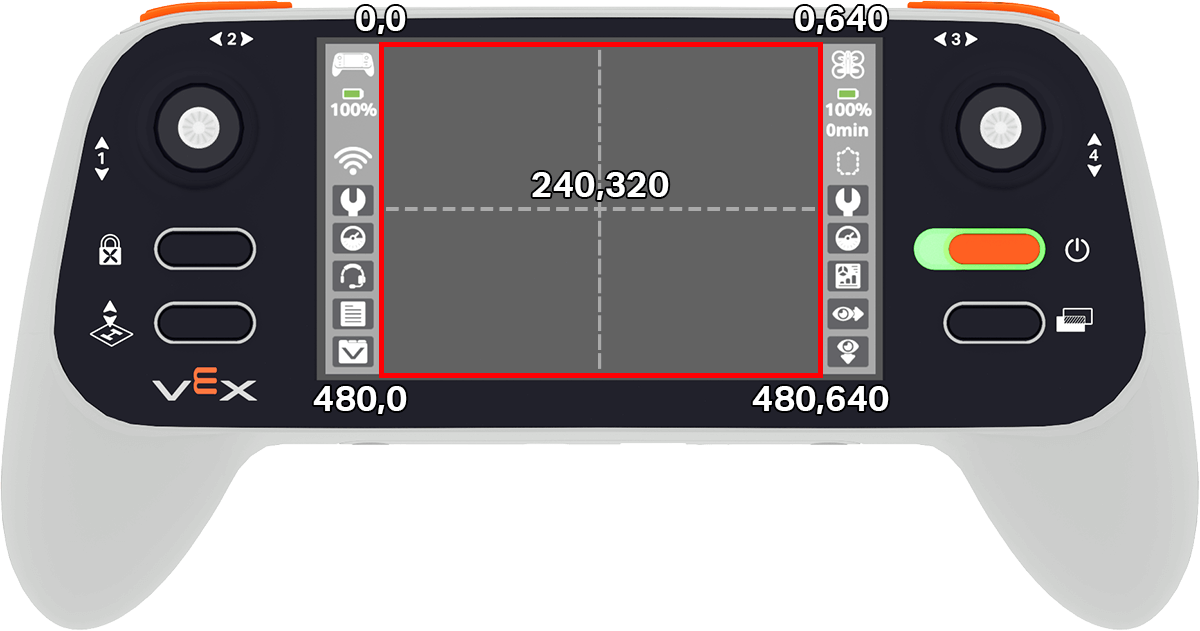
x_position επιστρέφει τη συντεταγμένη x σε pixel όπου πατήθηκε η οθόνη τελευταία φορά, ως ακέραιο αριθμό από 0 (αριστερά) έως 640 (δεξιά).
Usage:
controller.screen.x_position()
Παράμετροι |
Περιγραφή |
|---|---|
Αυτή η μέθοδος δεν έχει παραμέτρους. |
# Play a high or low note based on where screen is pressed.
while True:
    if controller.screen.pressing():
        if controller.screen.x_position() > 320:
            controller.sound.play_note("C6", 500)
        else:
            controller.sound.play_note("C4", 500)
    wait(5, MSEC)
y_position#
y_position επιστρέφει τη συντεταγμένη y σε pixel όπου πατήθηκε η οθόνη τελευταία φορά, ως ακέραιο αριθμό από 0 (επάνω) έως 480 (κάτω).
Usage:
controller.screen.y_position()
# Play a high or low note based on where screen is pressed.
while True:
    if controller.screen.pressing():
        if controller.screen.y_position() > 240:
            controller.sound.play_note("C6", 500)
        else:
            controller.sound.play_note("C4", 500)
    wait(5, MSEC)
Επανακλήσεις#
pressed#
Πατώντας το pressed καταγράφει μια συνάρτηση που θα κληθεί όταν πατηθεί η οθόνη του ελεγκτή.
Usage:
controller.screen.pressed(callback, arg)
Παράμετροι |
Περιγραφή |
|---|---|
|
Μια συνάρτηση που έχει οριστεί προηγουμένως για εκτέλεση όταν πατηθεί η οθόνη του ελεγκτή. |
|
Προαιρετικό. Μια πλειάδα που περιέχει ορίσματα για να μεταβιβαστούν στη συνάρτηση επανάκλησης. Δείτε Χρήση Συναρτήσεων με Παραμέτρους για περισσότερες πληροφορίες. |
# Play a sound when the screen is pressed.
def play_sound():
    controller.sound.play_note("C5", 500)

controller.screen.pressed(play_sound)
released#
released καταχωρεί μια συνάρτηση που θα κληθεί όταν απελευθερωθεί η οθόνη του ελεγκτή.
Usage:
controller.screen.released(callback, arg)
Παράμετροι |
Περιγραφή |
|---|---|
|
Μια συνάρτηση που έχει οριστεί προηγουμένως για εκτέλεση όταν απελευθερωθεί η οθόνη του ελεγκτή. |
|
Προαιρετικό. Μια πλειάδα που περιέχει ορίσματα για να μεταβιβαστούν στη συνάρτηση επανάκλησης. Δείτε Χρήση Συναρτήσεων με Παραμέτρους για περισσότερες πληροφορίες. |
# Play a sound when the screen is pressed.
def play_sound():
    controller.sound.play_note("C5", 500)

controller.screen.released(play_sound)