
شاشة#
مقدمة#
تتحكم طرق الشاشة في كيفية عرض روبوت VEX AIM Coding للنصوص والأرقام والرسومات على شاشته، وكيفية استجابته لضغطات الشاشة.
فيما يلي قائمة بجميع الطرق:
اللمس – اكتشاف ضغطات الشاشة والاستجابة لها.
pressing– تُرجع ما إذا كانت الشاشة قيد الضغط حاليًا.x_position– تُرجع إحداثيات x لآخر ضغطة على الشاشة.y_position– تُرجع إحداثيات y لآخر ضغطة على الشاشة.
طباعة المؤشر - عرض النص باستخدام نظام الصفوف/الأعمدة.
print– يطبع النص أو الأرقام أو قيم المتغيرات في موضع المؤشر الحالي.set_cursor– ينقل المؤشر إلى صف وعمود محددين.next_row– ينقل المؤشر إلى العمود 1 من الصف التالي.clear_row– يمسح صفًا من النص.get_row– تُرجع صف المؤشر الحالي.get_column– تُرجع عمود المؤشر الحالي.
طباعة XY - عرض النص عند إحداثيات محددة على الشاشة.
print_at– يطبع النص أو الأرقام أو قيم المتغيرات عند إحداثيات x و y محددة.set_origin– يحدد الأصل المستخدم للطباعة والرسم القائم على الإحداثيات.
المُعدِّلات – مسح الشاشة أو تحديث الإعدادات المرئية.
clear_screen– يمسح الشاشة من جميع الرسومات والنصوص.set_font– يحدد الخط للنص المطبوع.set_pen_width– يحدد سمك الخطوط المرسومة ومخططات الأشكال.set_pen_color– يحدد لون النص والبكسلات والخطوط ومخططات الأشكال.set_fill_color– يحدد لون التعبئة للأشكال المرسومة وخلفيات النصوص المطبوعة.
الرسم – أضف الرسومات والصور إلى الشاشة.
draw_pixel– يرسم بكسلًا في موضع محدد x و y.draw_line– يرسم خطًا بين نقطتين.draw_rectangle– يرسم مستطيلاً.draw_circle– يرسم دائرة.show_file– يعرض صورة تم تحميلها.set_clip_region– يقيد مكان ظهور الرسومات والنصوص.
الوظائف المستدعاة – تشغيل الوظائف عند الضغط على الشاشة أو تحريرها.
يلمس#
pressing#
الضغط على pressing يُرجع قيمة منطقية تشير إلى ما إذا كانت شاشة الروبوت قيد الضغط حاليًا.
True– يتم الضغط على الشاشة.False– لا يتم الضغط على الشاشة.
Usage:
robot.screen.pressing()
حدود |
وصف |
|---|---|
لا تحتوي هذه الطريقة على أي معلمات. |
# Turn LEDs white only while the screen is pressed.
while True:
    if robot.screen.pressing():
        robot.led.on(ALL_LEDS, WHITE)
    else:
        robot.led.off(ALL_LEDS)

    wait(50, MSEC)
# Display different messages after the screen is pressed
while not robot.screen.pressing():
    wait(5, MSEC)
robot.screen.print("First message!")
robot.screen.next_row()
# Lift finger to press the screen again
while robot.screen.pressing():
    wait(5, MSEC)
while not robot.screen.pressing():
    wait(5, MSEC)
robot.screen.print("Second message!")
robot.screen.next_row()
x_position#
x_position تُرجع إحداثيات x لآخر ضغطة على الشاشة كعدد صحيح من 0 (يسار) إلى 240 (يمين).
Usage:robot.screen.x_position()
حدود |
وصف |
|---|---|
لا تحتوي هذه الطريقة على أي معلمات. |
# Display the x-coordinate of where
# the screen is pressed
while True:
    if robot.screen.pressing():
        robot.screen.clear_screen()
        robot.screen.print(robot.screen.x_position())
    wait (50, MSEC)
y_position#
y_position تُرجع إحداثيات y لآخر ضغطة على الشاشة كعدد صحيح من 0 (أعلى) إلى 240 (أسفل).
Usage:robot.screen.y_position()
حدود |
وصف |
|---|---|
لا تحتوي هذه الطريقة على أي معلمات. |
# Display the y-coordinate of where
# the screen is pressed
while True:
    if robot.screen.pressing():
        robot.screen.clear_screen()
        robot.screen.print(robot.screen.y_position())
    wait (50, MSEC)
بصمة المؤشر#
print#
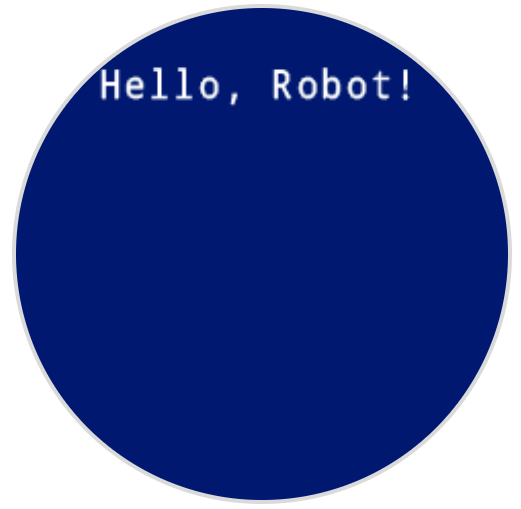
print prints text, numbers, or variable values on the robot’s screen at the current cursor position and font.
Usage:robot.screen.print(text)
حدود |
وصف |
|---|---|
|
النص أو الرقم أو قيمة المتغير المراد عرضها على الشاشة. |
# Display a message at the starting cursor position
robot.screen.print("Hello, Robot!")
set_cursor#
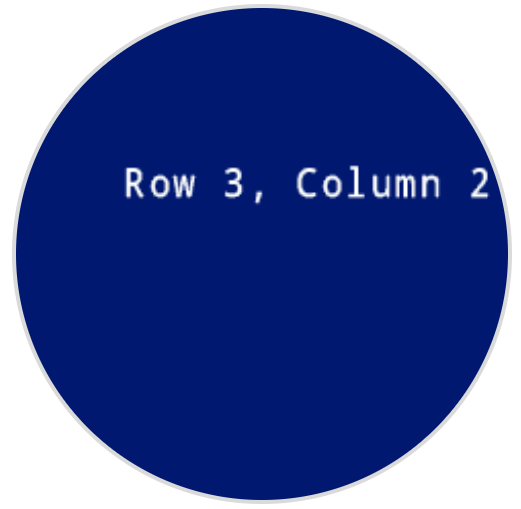
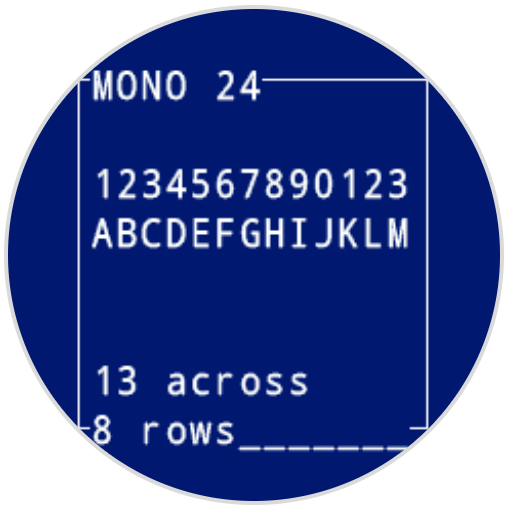
set_cursor moves the text cursor to a specific row and column on the robot’s screen. The next print call will start printing at that location. The number of rows and columns that fit depends on the selected font. With the default monospaced medium font, the screen can clearly display up to 8 rows and 13 columns. Text placed beyond this range may be cut off or harder to read.
Monospaced fonts have characters that are all the same width, making text placement consistent. In contrast, proportional fonts vary in character width, so some letters take up more space than others. However, regardless of which type is used, set_cursor positions the cursor based on row and column size, not font style. The font size can be adjusted using set_font.
Usage:robot.screen.set_cursor(row, column)
حدود |
وصف |
|---|---|
|
الصف الذي سيتم تحريك المؤشر إليه. |
|
العمود الذي سيتم تحريك المؤشر إليه. |
# Display text starting at Row 3 Column 2
robot.screen.set_cursor(3, 2)
robot.screen.print("Row 3, Column 2")
next_row#
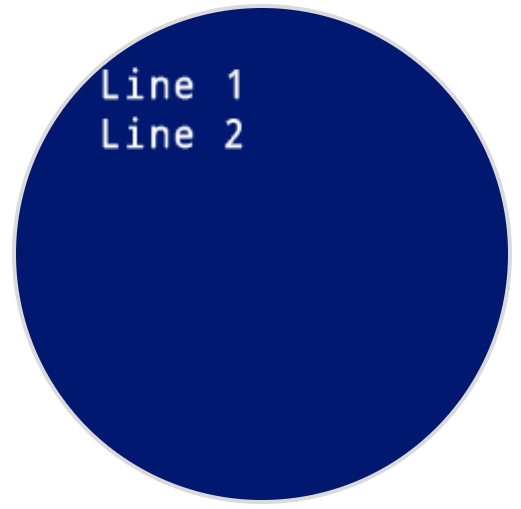
next_row ينقل المؤشر إلى العمود 1 في الصف التالي على شاشة الروبوت.
Usage:robot.screen.next_row()
حدود |
وصف |
|---|---|
لا تحتوي هذه الطريقة على أي معلمات. |
# Display two lines of text
robot.screen.print("Line 1")
robot.screen.next_row()
robot.screen.print("Line 2")
clear_row#
clear_row يمسح صفًا واحدًا من النص على شاشة الروبوت.
Usage:robot.screen.clear_row(row, color)
المعلمة |
وصف |
|---|---|
|
اختياري. الصف المراد مسحه كرقم صحيح. القيمة الافتراضية هي صف المؤشر الحالي. |
|
Optional. The color to apply to the cleared row. Options include:
|
# Display text on two rows
robot.screen.print("This text stays")
robot.screen.next_row()
robot.screen.print("This text disappears")

# Wait 3 seconds before clearing only the second row
wait(3, SECONDS)
robot.screen.clear_row()
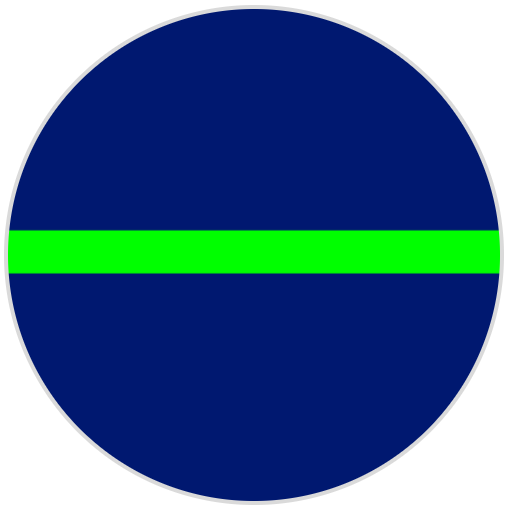
# Turn the 5th row green
robot.screen.clear_row(5, GREEN)
get_row#
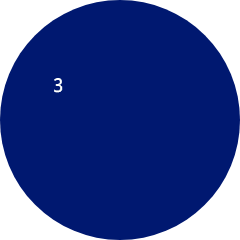
get_row تُرجع الصف الحالي حيث سيتم طباعة النص كرقم صحيح.
Usage:robot.screen.get_row()
حدود |
وصف |
|---|---|
لا تحتوي هذه الطريقة على أي معلمات. |
# Set cursor to (3,2) and print row number
robot.screen.set_cursor(3, 2)
robot.screen.print(robot.screen.get_row())
get_column#
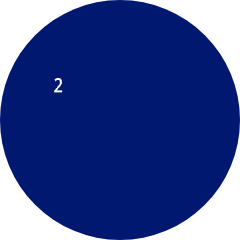
get_column تُرجع العمود الحالي الذي سيتم طباعة النص فيه كعدد صحيح.
Usage:robot.screen.get_column()
حدود |
وصف |
|---|---|
لا تحتوي هذه الطريقة على أي معلمات. |
# Set cursor to (3,2) and print column number
robot.screen.set_cursor(3, 2)
robot.screen.print(robot.screen.get_column())
طباعة XY#
print_at#
print_at prints text, numbers, or variable values on the robot’s screen at a specific x and y coordinate in pixels, using the currently set font and origin. x sets how far from the left side the text begins, and y sets where the bottom of the letters sit. This method disregards the current cursor position.
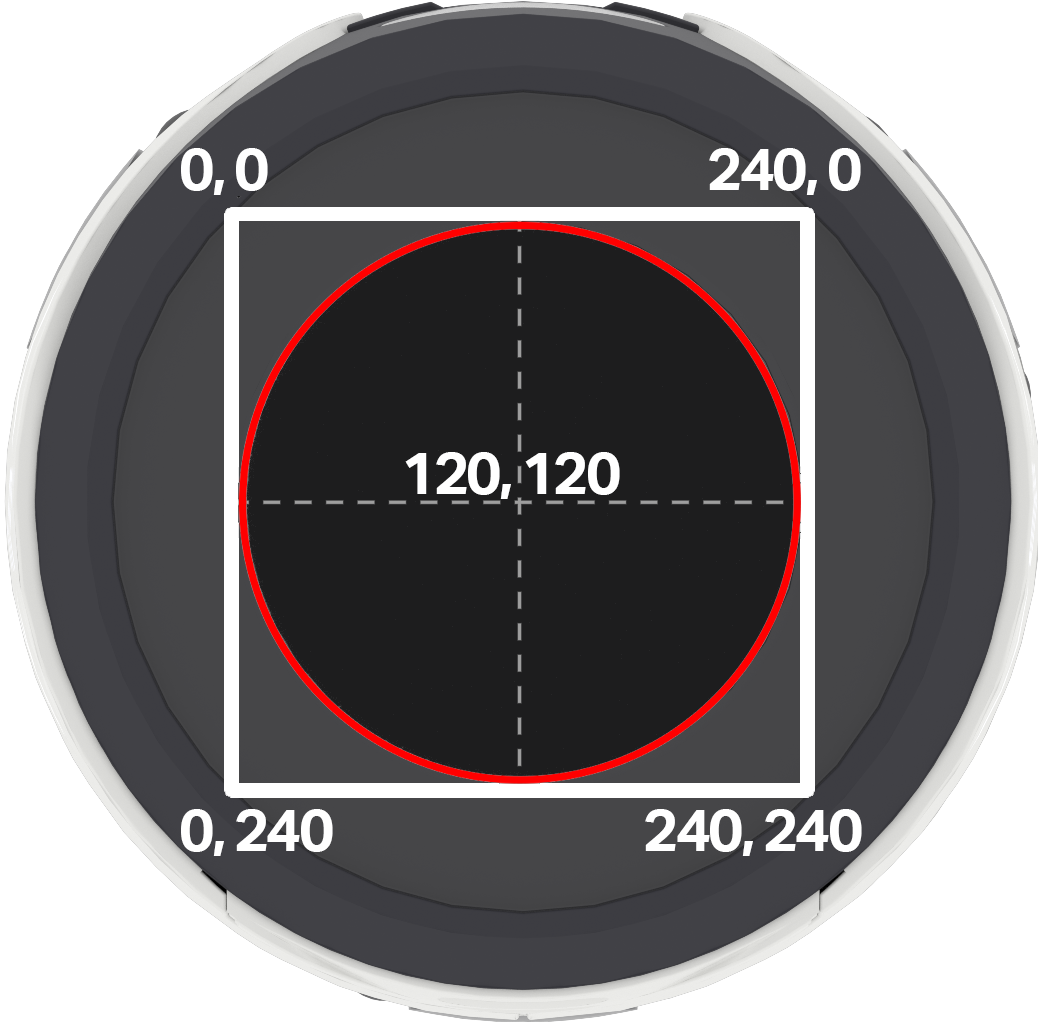
ملاحظة: تُشير الدائرة الحمراء إلى الإحداثيات التي ستظهر على الشاشة الدائرية لروبوت AIM. أما الإحداثيات التي تقع خارج الدائرة الحمراء فتقع ضمن النطاق 0-240، ولكنها لن تظهر على الشاشة.
Usage:
robot.screen.print_at(text, x, y)
المعلمة |
وصف |
|---|---|
|
النص أو الرقم أو قيمة المتغير المراد طباعتها على الشاشة. |
|
الموضع الأفقي للنص، كرقم صحيح من 0 إلى 240 بكسل. 0 لليسار؛ 240 لليمين. |
|
الموضع الرأسي للنص، كرقم صحيح من 0 إلى 240 بكسل. 0 هو الأعلى؛ 240 هو الأسفل. |
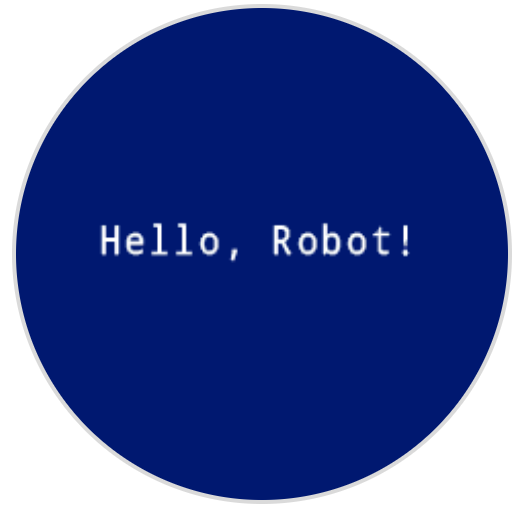
# Display a message in the middle of the screen
robot.screen.print_at("Hello, Robot!", x=40, y=120)
set_origin#
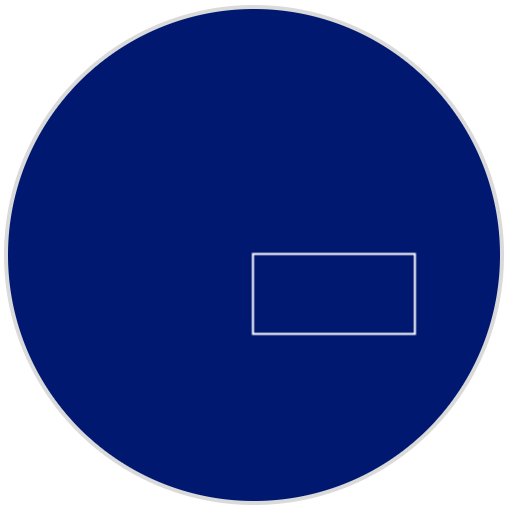
يُحدد الخيار set_origin نقطة الأصل المستخدمة للرسم والطباعة القائمة على الإحداثيات على شاشة الروبوت. افتراضياً، تكون نقطة الأصل هي الزاوية العلوية اليسرى للشاشة.
Usage:
robot.screen.set_origin(x, y)
المعلمة |
وصف |
|---|---|
|
الإحداثي السيني الجديد الذي سيتم تعيينه كنقطة أصل، معطاة كعدد صحيح من 0 إلى 240. |
|
إحداثي y الجديد الذي سيتم تعيينه كنقطة أصل، معطاة كعدد صحيح من 0 إلى 240. |
# Set the origin to the center of the screen
robot.screen.set_origin(120, 120)

# Draw a rectangle at the new origin
robot.screen.draw_rectangle(0, 0, 80, 40)
المتحولون#
clear_screen#
clear_screen clears all drawings and text from the robot’s screen. By default, it also resets the cursor position to row 1, column 1.
Usage:
robot.screen.clear_screen(color)
المعلمة |
وصف |
|---|---|
|
Optional. Sets the screen color. Options include:
|
# Draw a circle, and clear it after 2 seconds
robot.screen.draw_circle(120, 120, 60)
wait(2, SECONDS)
robot.screen.clear_screen()
# Set the background color of the screen to red
robot.screen.clear_screen(RED)

set_font#
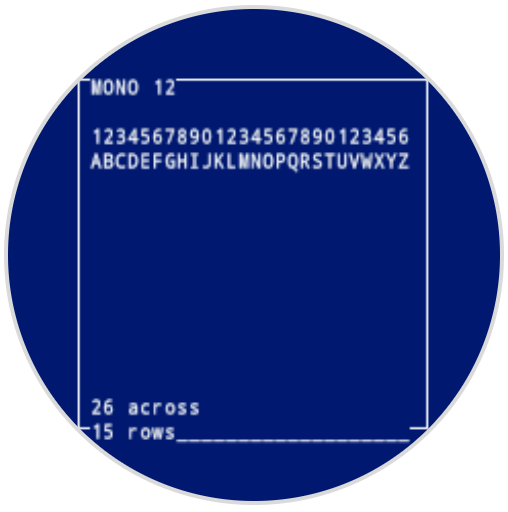
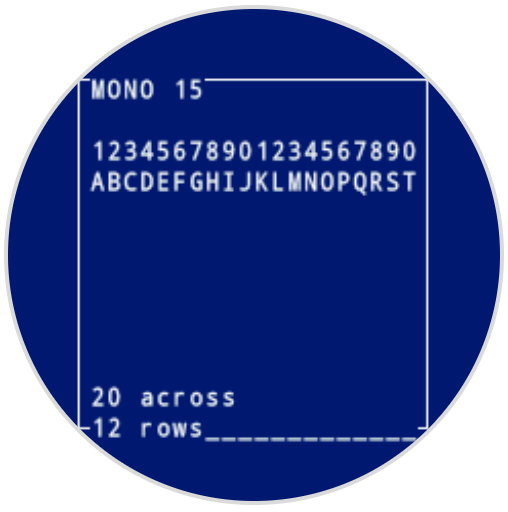
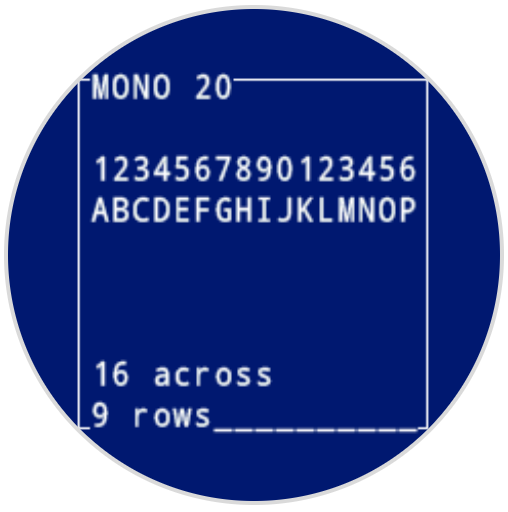
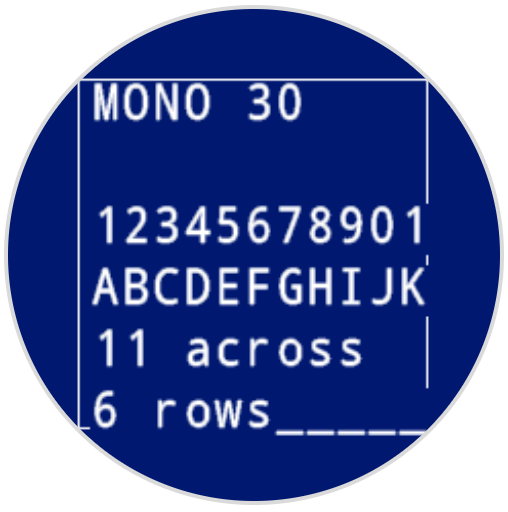
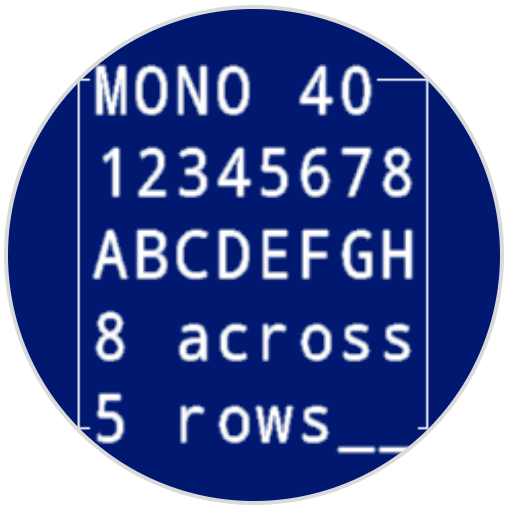
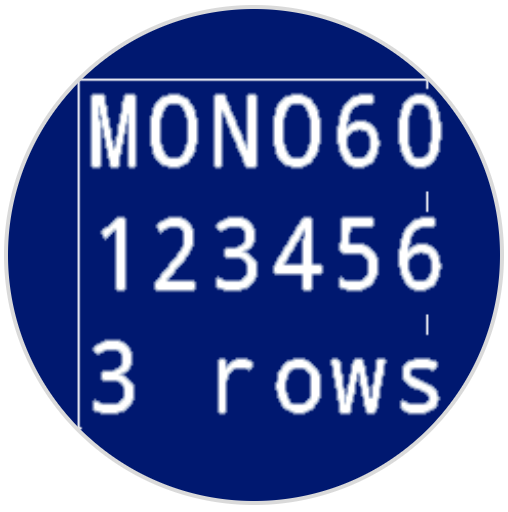
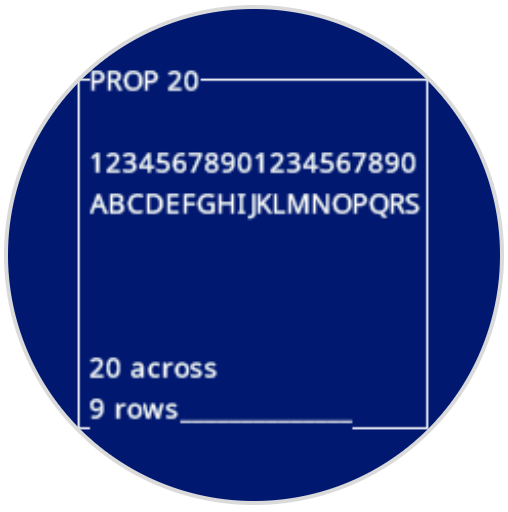
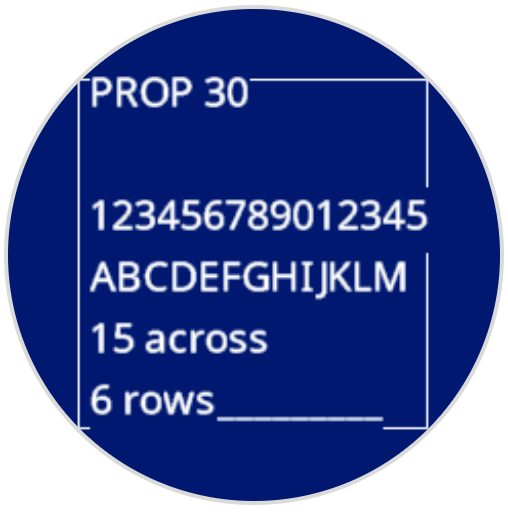
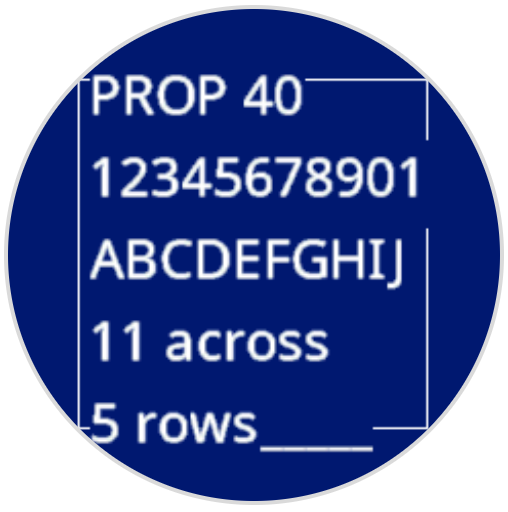
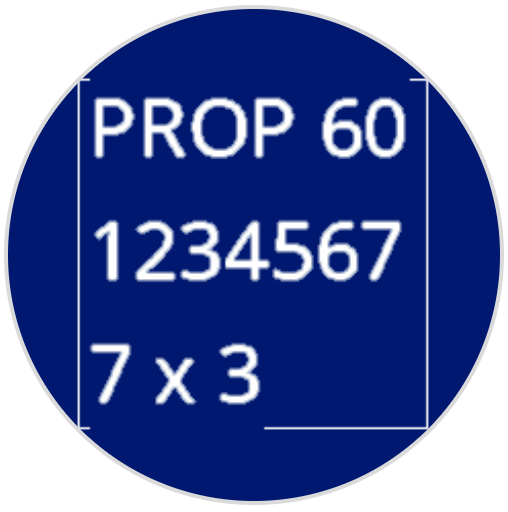
set_font sets the font used for displaying text on the robot’s screen. This font will apply to all text printed with print or print_at. The default font at the start of a project is MONO24.
Usage:
robot.screen.set_font(fontname)
المعلمة |
وصف |
|---|---|
|
يُحدد الخط إلى أحد الخيارات التالية:
|
|
|
|
|---|---|---|
|
|
|
|
|
|
|
|
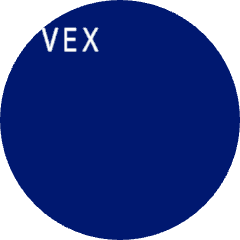
# Display text using a larger font
robot.screen.set_font(MONO40)
robot.screen.print("VEX")
set_pen_width#
set_pen_width يحدد سمك الخطوط المرسومة ومخططات الأشكال.
Usage:
robot.screen.set_pen_width(width)
المعلمة |
وصف |
|---|---|
|
عرض القلم، بالبكسل، من 0 إلى 32. |
# Draw a rectangle with a pen width of 10
robot.screen.set_pen_width(10)
robot.screen.draw_rectangle(50, 50, 130, 60)

set_pen_color#
set_pen_color يحدد لون النص والبكسلات والخطوط ومخططات الأشكال.
Usage:
robot.screen.set_pen_color(color)
المعلمة |
وصف |
|---|---|
|
Optional. The pen and font color to use. Options include:
|
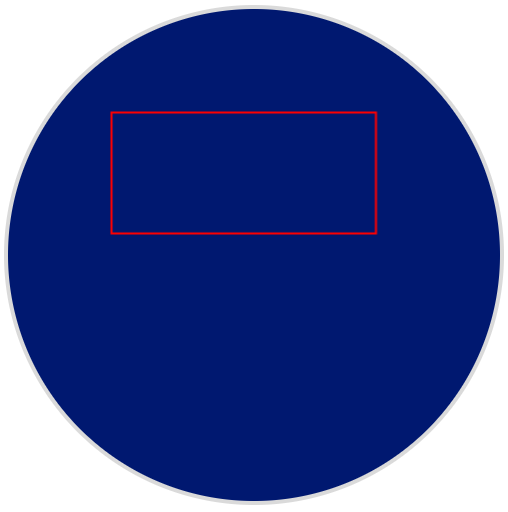
# Draw a rectangle with a red pen
robot.screen.set_pen_color(RED)
robot.screen.draw_rectangle(50, 50, 130, 60)
set_fill_color#
set_fill_color يحدد لون التعبئة المستخدم عند رسم الأشكال وعندما يستخدم النص المطبوع خلفية.
Usage:robot.screen.set_fill_color(color)
المعلمة |
وصف |
|---|---|
|
Optional. The fill color to use. Options include:
|
# Draw two orange rectangles
robot.screen.set_fill_color(ORANGE)
robot.screen.draw_rectangle(50, 50, 100, 60)
robot.screen.draw_rectangle(50, 130, 100, 60)

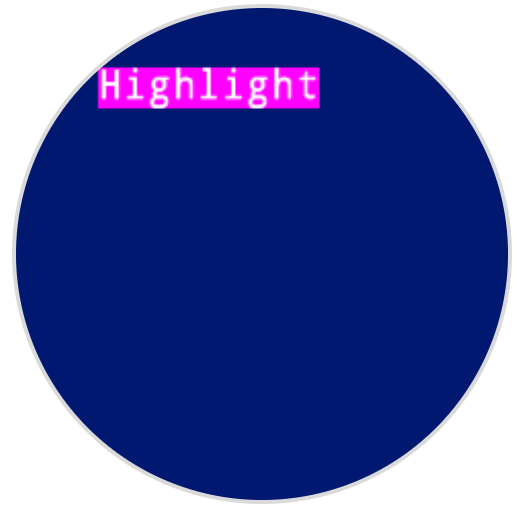
# Display text with a purple background
robot.screen.set_fill_color(PURPLE)
robot.screen.print("Highlight")
يرسم#
draw_pixel#
draw_pixel draws one pixel at the selected x and y coordinate using the current pen color.
Usage:
robot.screen.draw_pixel(x, y)
المعلمة |
وصف |
|---|---|
|
إحداثي س حيث سيتم رسم البكسل، معطاة كعدد صحيح من 0 إلى 240. |
|
إحداثيات y حيث سيتم رسم البكسل، معطاة كعدد صحيح من 0 إلى 240. |
# Draw a pixel at the center of the screen
robot.screen.draw_pixel(120, 120)

draw_line#
draw_line يرسم خطًا من إحداثيات الشاشة الأولى (x1, y1) إلى إحداثيات الشاشة الثانية (x2, y2) باستخدام عرض القلم ولون القلم.
تستخدم إحداثيات x و y الأصل الافتراضي (0، 0) ما لم يتم تعيين أصل مختلف باستخدام set_origin.
Usage:
robot.screen.draw_line(x1, y1, x2, y2)
المعلمة |
وصف |
|---|---|
|
إحداثي البداية للخط على المحور السيني، معطاة كعدد صحيح من 0 إلى 240. |
|
إحداثي y الابتدائي للخط، معطاة كعدد صحيح من 0 إلى 240. |
|
إحداثي س النهائي للخط، معطاة كعدد صحيح من 0 إلى 240. |
|
إحداثي الصادات النهائي للخط، معطاة كعدد صحيح من 0 إلى 240. |
# Draw a line from the top left to bottom right of the screen
robot.screen.draw_line(0, 0, 240, 240)

draw_rectangle#
draw_rectangle draws a rectangle with its top-left corner at the selected (x, y) coordinate and a size determined by the given width and height, all measured in pixels. The rectangle’s outline is drawn using the current pen width and pen color. The interior is filled with the current fill color, unless the optional color parameter is used.
تستخدم إحداثيات x و y الأصل الافتراضي (0، 0) ما لم يتم تعيين أصل مختلف باستخدام set_origin.
Usage:robot.screen.draw_rectangle(x, y, width, height, color)
المعلمة |
وصف |
|---|---|
|
الإحداثي السيني للزاوية العلوية اليسرى للمستطيل، معطاة كعدد صحيح من 0 إلى 240. |
|
إحداثي y للزاوية العلوية اليسرى للمستطيل، معطاة كعدد صحيح من 0 إلى 240. |
|
عرض المستطيل، معبر عنه كعدد صحيح من 0 إلى 240. |
|
ارتفاع المستطيل، معبر عنه كعدد صحيح من 0 إلى 240. |
|
Optional. The fill color of the rectangle. Options include:
|
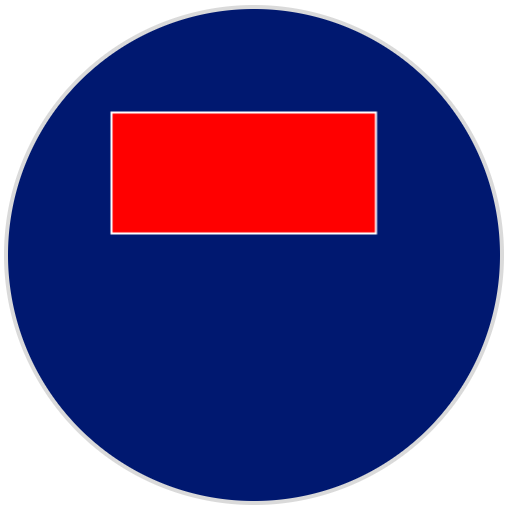
# Draw a red rectangle on the screen
robot.screen.draw_rectangle(50, 50, 130, 60, RED)
draw_circle#
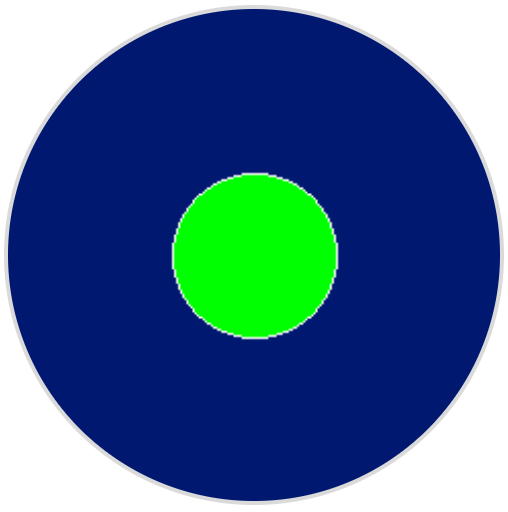
draw_circle draws a circle with its center at the selected (x, y) coordinate and a size determined by the given radius, all measured in pixels. The circle’s outline is drawn using the current pen width and pen color. The interior is filled with the current fill color, unless the optional color parameter is used.
تستخدم إحداثيات x و y الأصل الافتراضي (0، 0) ما لم يتم تعيين أصل مختلف باستخدام set_origin.
Usage:robot.screen.draw_circle(x, y, radius, color)
المعلمة |
وصف |
|---|---|
|
الإحداثي السيني لمركز الدائرة، معطاة كعدد صحيح من 0 إلى 240. |
|
إحداثي y لمركز الدائرة، معطاة كعدد صحيح من 0 إلى 240. |
|
نصف قطر الدائرة، معطاة كعدد صحيح من 0 إلى 240 بكسل. |
|
Optional. The fill color of the circle. Options include:
|
# Draw a green circle on the screen
robot.screen.draw_circle(120, 120, 40, GREEN)
show_file#
يعرض الأمر show_file صورة مخصصة تم تحميلها على شاشة الروبوت، مع تحديد موضعها باستخدام المعلمات xو yو center بناءً على نقطة مرجعية للصورة.
Usage:
robot.screen.show_file(file, x, y, center)
المعلمة |
وصف |
|---|---|
|
الصورة المخصصة المراد استخدامها، من |
|
الإزاحة الأفقية للصورة، معطاة كعدد صحيح بالبكسل. القيم الموجبة تحركها إلى اليمين؛ والقيم السالبة تحركها إلى اليسار. |
|
الإزاحة الرأسية للصورة، معطاة كعدد صحيح بالبكسل. القيم الموجبة تحركها للأسفل؛ والقيم السالبة تحركها للأعلى. |
|
Optional. If |
# Display uploaded Image 1 in the top left corner
robot.screen.show_file(IMAGE1, 0, 0)
# Show the same image on both sides of the screen
# Image size is 120 x 120
robot.screen.show_file(IMAGE1, 65, 0, center=True)
robot.screen.show_file(IMAGE1, -65, 0, center=True)
set_clip_region#
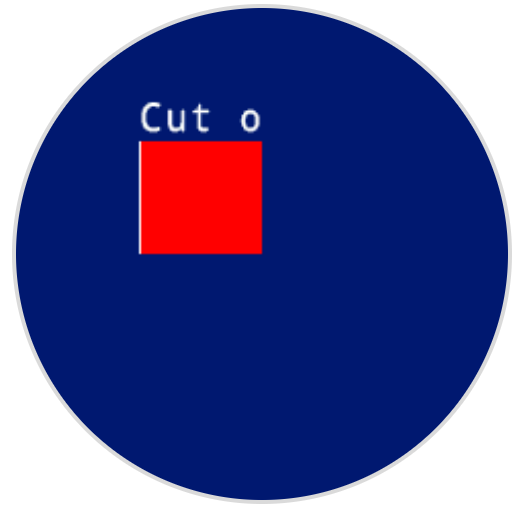
يُحدد set_clip_region منطقة مستطيلة على الشاشة حيث سيتم حصر جميع الرسومات والنصوص. ولن يتم عرض أي محتوى خارج هذه المنطقة.
Usage:
robot.screen.set_clip_region(x, y, width, height)
المعلمة |
وصف |
|---|---|
|
إحداثيات x للزاوية العلوية اليسرى لمنطقة القص، معطاة كعدد عشري ( |
|
إحداثيات y للزاوية العلوية اليسرى لمنطقة القص، معطاة كعدد عشري ( |
|
عرض منطقة القص بالبكسل، معطاة كعدد عشري ( |
|
ارتفاع منطقة القص بالبكسل، معطاة كعدد عشري ( |
# Restrict text and drawings to a specific region
robot.screen.set_clip_region(0, 0, 120, 120)
robot.screen.draw_rectangle(60, 60, 100, 100, RED)
robot.screen.print_at("Cut off!", x=60, y=60)
معاودة الاتصال#
pressed#
pressed registers a method to be called when the robot’s screen is pressed.
Usage:robot.screen.pressed(callback, arg)
حدود |
وصف |
|---|---|
|
A function that is previously defined to execute when the controller screen is pressed. |
|
Optional. A tuple containing arguments to pass to the callback function. See Using Functions with Parameters for more information. |
# Set the LEDs to green when the screen is pressed.
def screen_touched():
    robot.led.on(ALL_LEDS, GREEN)

robot.screen.pressed(screen_touched)
released#
released يسجل طريقة ليتم استدعاؤها عند تحرير شاشة الروبوت.
Usage:robot.screen.released(callback, arg)
حدود |
وصف |
|---|---|
|
A function that is previously defined to execute when the controller screen is pressed. |
|
Optional. A tuple containing arguments to pass to the callback function. See Using Functions with Parameters for more information. |
# Set the LEDs to blue when the screen is released.
def screen_released():
    robot.led.on(ALL_LEDS, BLUE)

robot.screen.released(screen_released)