
Botón#
Introducción#
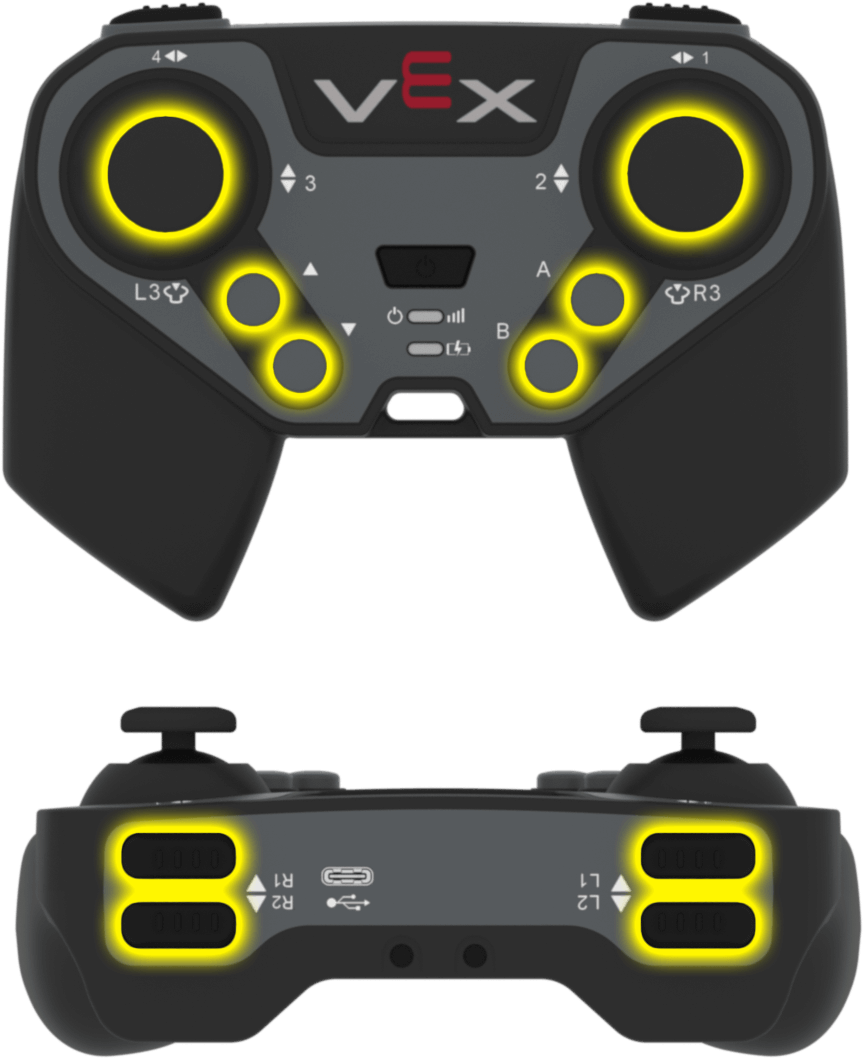
The button class is a derived class of the controller class. It provides access to controller button states and button event callbacks.
A button object is accessed through a controller object. It is not constructed directly.
Acceso#
The controller class provides the following button objects. Each object is an instance of the button class.
Objeto |
Ejemplo de uso |
Descripción |
|---|---|---|
|
|
El botón A. |
|
|
El botón B. |
|
|
El botón Abajo. |
|
|
El botón Arriba. |
|
|
El botón L1. |
|
|
El botón L2. |
|
|
El botón L3. |
|
|
El botón R1. |
|
|
El botón R2. |
|
|
El botón R3. |
Notas#
Before using a
buttonmember function, create acontrollerobject.
// Create a controller object
controller Controller = controller();
Funciones de los miembros#
The button class includes the following member functions:
Obtenido: lee el estado del botón.
pressing— Returns whether the button is being pressed.
Funciones de devolución de llamada: ejecutan funciones cuando se producen eventos de botón.
Adquiridor#
pressing#
pressing returns whether the button is currently being pressed.
Función disponible
bool pressing() const;
Parámetros
Esta función no tiene parámetros.
Valor de retorno
Devuelve un valor booleano.
true— The button is being pressed.false— The button is not being pressed.
Ejemplo
// Turn right while L1 is pressed
while (true) {
  if (Controller.ButtonL1.pressing()) {
    Drivetrain.turn(right);
  }
  else {
    Drivetrain.stop();
  }

  wait(20, msec);
}
Devoluciones de llamada#
pressed#
pressed registers a function that runs when the button is pressed.
Función disponible
void pressed(void (* callback)(void)) const;
Parámetro |
Tipo |
Descripción |
|---|---|---|
|
|
Una función que se ejecuta al pulsar el botón. |
Valor de retorno
Esta función no devuelve ningún valor.
Ejemplo
Define the callback function outside of main.
// Drive forward when R1 is pressed
void driveForward() {
  Drivetrain.driveFor(forward, 200, mm);
}
Register the callback inside main.
int main() {
  vexcodeInit();

  // Run driveForward when R1 is pressed
  Controller.ButtonR1.pressed(driveForward);
}
released#
released registers a function that runs when the button is released.
Función disponible
void released(void (* callback)(void)) const;
Parámetro |
Tipo |
Descripción |
|---|---|---|
|
|
Una función que se ejecuta cuando se suelta el botón. |
Valor de retorno
Esta función no devuelve ningún valor.
Ejemplo
Define the callback function outside of main.
// Stop the drivetrain when R1 is released
void stopDriving() {
  Drivetrain.stop();
}
Register the callback inside main.
int main() {
  vexcodeInit();

  // Run stopDriving when R1 is released
  Controller.ButtonR1.released(stopDriving);
}