
المظهر#
قلم#
pen.move#
يتم استخدام طريقة pen.move(action) لضبط موضع قلم الواقع الافتراضي.
هذه طريقة غير انتظارية وتسمح بتنفيذ أي طرق لاحقة دون تأخير.
حدود |
وصف |
|---|---|
|
ضبط موضع قلم الواقع الافتراضي على |
المرتجعات: لا يوجد.
UP- لن يرسم القلم خطاً في الملعب.DOWN- سيرسم القلم خطًا ملونًا على الملعب.
def main():
    # Position the VR Pen down.
    pen.move(DOWN)
    # Move forward for 400 mm to draw a line.
    drivetrain.drive_for(FORWARD, 400, MM)
pen.set_pen_color#
يتم استخدام طريقة pen.set_pen_color(color) لتعيين لون قلم الواقع الافتراضي.
هذه طريقة غير انتظارية وتسمح بتنفيذ أي طرق لاحقة دون تأخير.
حدود |
وصف |
|---|---|
|
لون قلم الواقع الافتراضي: |
المرتجعات: لا يوجد.
def main():
    # Move the VR Pen down.
    pen.move(DOWN)
    # Set the VR Pen color to blue.
    pen.set_pen_color(BLUE)
    # Drive forward for 400 mm to draw a line.
    drivetrain.drive_for(FORWARD, 400, MM)
pen.set_pen_width#
يتم استخدام طريقة pen.set_pen_width(width) لضبط عرض قلم الواقع الافتراضي.
هذه طريقة غير انتظارية وتسمح بتنفيذ أي طرق لاحقة دون تأخير.
حدود |
وصف |
|---|---|
|
عرض قلم الواقع الافتراضي: |
المرتجعات: لا يوجد.
عرض قلم الواقع الافتراضي هو THIN.
def main():
    # Move the VR Pen down.
    pen.move(DOWN)
    # Set the VR Pen's width to medium.
    pen.set_pen_width(MEDIUM)
    # Drive forward for 400 mm to draw a line.
    drivetrain.drive_for(FORWARD, 400, MM)
pen.set_pen_color_rgb#
يتم استخدام طريقة pen.set_pen_color_rgb(red, green, blue, opacity) لتعيين قيمة RGB للون قلم الواقع الافتراضي.
هذه طريقة غير انتظارية وتسمح بتنفيذ أي طرق لاحقة دون تأخير.
حدود |
وصف |
|---|---|
|
شدة اللون الأحمر في قيمة RGB، والتي تتراوح من 0 إلى 255. |
|
شدة اللون الأخضر في قيمة RGB، والتي تتراوح من 0 إلى 255. |
|
شدة اللون الأزرق في قيمة RGB، والتي تتراوح من 0 إلى 255. |
|
تتراوح شفافية لون قلم الواقع الافتراضي من 0 إلى 100 بالمائة. |
المرتجعات: لا يوجد.
def main():
    # Move the VR Pen down.
    pen.move(DOWN)
    # Set the color to orange at full opacity.
    pen.set_pen_color_rgb(225, 112, 52, 100)
    # Drive forward for 400 MM to draw a line.
    drivetrain.drive_for(FORWARD, 400, MM)
pen.fill#
تقوم الدالة pen.fill(red, green, blue, opacity) بتعبئة شكل أي شيء يوجد عليه قلم الواقع الافتراضي، على سبيل المثال:
|
|
|
|---|---|---|
خطوط الشبكة |
مربع الشبكة |
في الملاعب التي لا تحتوي على شبكة، فإنها تملأ أرضية الملعب بأكملها. |
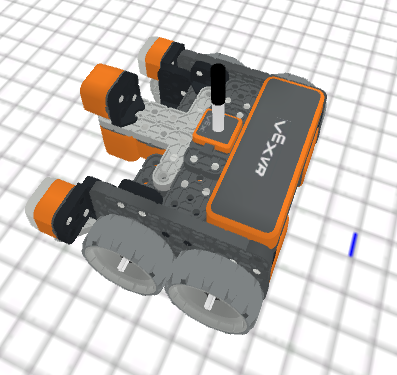
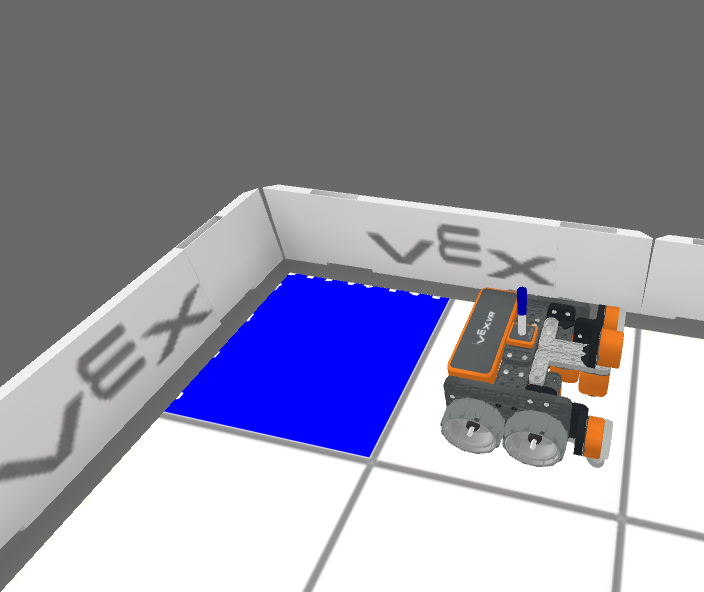
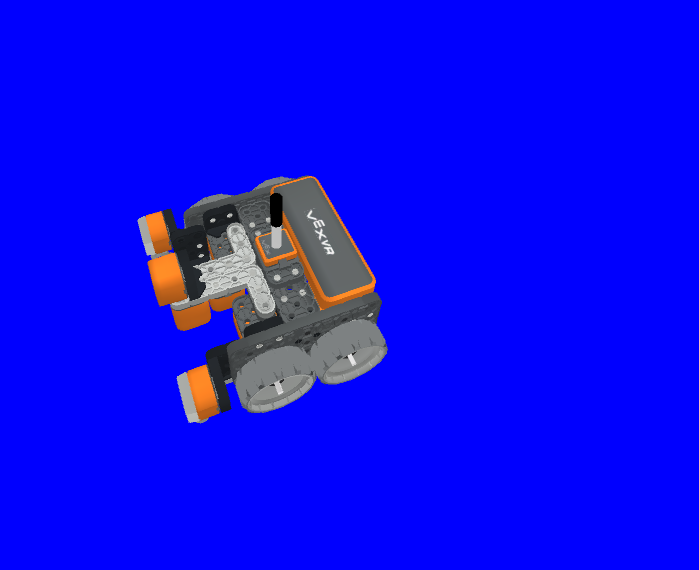
هذه طريقة غير انتظارية وتسمح بتنفيذ أي طرق لاحقة دون تأخير.
حدود |
وصف |
|---|---|
|
شدة اللون الأحمر في قيمة RGB، والتي تتراوح من 0 إلى 255. |
|
شدة اللون الأخضر في قيمة RGB، والتي تتراوح من 0 إلى 255. |
|
شدة اللون الأزرق في قيمة RGB، والتي تتراوح من 0 إلى 255. |
|
تتراوح شفافية لون قلم الواقع الافتراضي من 0 إلى 100 بالمائة. |
المرتجعات: لا يوجد.
def main():
    # Fill the playground's floor with blue at full opacity.
    pen.fill(43, 162, 202, 100)
مطبعة#
brain.print#
يتم استخدام طريقة brain.print(value, precision = 0) لطباعة الكلمات والأرقام والقيم المبلغ عنها إلى وحدة التحكم في الطباعة.
هذه طريقة غير انتظارية وتسمح بتنفيذ أي طرق لاحقة دون تأخير.
حدود |
وصف |
|---|---|
|
أي كلمات أو أرقام أو بيانات من أجهزة الاستشعار تُبلغ عن قيمة. يجب وضع الكلمات بين علامتي اقتباس: |
|
اختياري. عدد المنازل العشرية المُبلغ عنها من قيمة مُستشعر أو مُتغير، من |
المرتجعات: لا يوجد.
def main():
    # Print the Drivetrain's current heading in degrees with 2 decimal points.
    brain.print("Drivetrain's heading:",
        drivetrain.heading(DEGREES), precision = 2)
brain.clear#
يتم استخدام طريقة brain.clear() لمسح جميع الصفوف في وحدة التحكم بالطباعة وإعادة تعيين المؤشر إلى السطر الأول.
هذه طريقة غير انتظارية وتسمح بتنفيذ أي طرق لاحقة دون تأخير.
المرتجعات: لا يوجد.
def main():
    # Print "Project has started."
    brain.print("Project has started.")
    # Wait 3 seconds.
    wait(3, SECONDS)
    # Clear the print console.
    brain.clear()
brain.new_line#
يتم استخدام طريقة brain.new_line() لتعيين المؤشر إلى سطر جديد في وحدة التحكم بالطباعة.
هذه طريقة غير انتظارية وتسمح بتنفيذ أي طرق لاحقة دون تأخير.
المرتجعات: لا يوجد.
def main():
    # Print "Project has started."
    brain.print("Project has started.")
    # Move the cursor to a new line.
    brain.new_line()
brain.set_print_color#
يتم استخدام طريقة brain.set_print_color(color) لتعيين لون النص المطبوع إلى وحدة التحكم في الطباعة.
هذه طريقة غير انتظارية وتسمح بتنفيذ أي طرق لاحقة دون تأخير.
حدود |
وصف |
|---|---|
|
لون النص المراد طباعته: |
المرتجعات: لا يوجد.
def main():
    # Set the print text color to red.
    brain.set_print_color(RED)
    # Print a message.
    brain.print("This is red!")
متغير المراقبة#
يتم استخدام طريقة monitor_variable(“variable”, …) لإضافة متغيرات إلى وحدة التحكم في المراقبة بحيث يمكن رؤية قيمة المتغيرات ومراقبتها.
هذه طريقة غير انتظارية وتسمح بتنفيذ أي طرق لاحقة دون تأخير.
حدود |
وصف |
|---|---|
|
أي متغير عام تم تعيينه مسبقاً. |
المرتجعات: لا يوجد.
# Create global variable.
disk_count = 1

def main():
    # Add disk_count to the Monitor Console.
    monitor_variable("disk_count")
مستشعر_المراقبة#
يتم استخدام طريقة monitor_sensor(“sensor”, …) لإضافة أجهزة استشعار إلى وحدة التحكم في المراقبة بحيث يمكن مراقبة قيم المستشعر.
هذه طريقة غير انتظارية وتسمح بتنفيذ أي طرق لاحقة دون تأخير.
حدود |
وصف |
|---|---|
|
أي مُعرّف مستشعر مدعوم. |
المرتجعات: لا يوجد.
معرفات المستشعرات المدعومة:
brain.timer.timedrivetrain.is_donedrivetrain.is_movingdrivetrain.headingdrivetrain.rotationdrivetrain.velocity_rpmdrivetrain.velocity_percentarm_motor.is_donearm_motor.is_spinningarm_motor.position_degreesarm_motor.position_turnsarm_motor.velocity_rpmarm_motor.velocity_percentarm_motor_group.is_donearm_motor_group.is_spinningarm_motor_group.position_degreesarm_motor_group.position_turnsarm_motor_group.velocity_rpmarm_motor_group.velocity_percentintake_motor.is_doneintake_motor.is_spinningintake_motor.position_degreesintake_motor.position_turnsintake_motor.velocity_rpmintake_motor.velocity_percentintake_motor_group.is_doneintake_motor_group.is_spinningintake_motor_group.position_degreesintake_motor_group.position_turnsintake_motor_group.velocity_rpmintake_motor_group.velocity_percentcatapult_motor.is_donecatapult_motor.is_spinningcatapult_motor.position_degreescatapult_motor.position_turnscatapult_motor.velocity_rpmcatapult_motor.velocity_percentcatapult_tension_motor.is_donecatapult_tension_motor.is_spinningcatapult_tension_motor.position_degreescatapult_tension_motor.position_turnscatapult_tension_motor.velocity_rpmcatapult_tension_motor.velocity_percentintake_bumper.pressingbumper.pressingfront_distance.is_object_detectedfront_distance.object_distance_mmfront_distance.object_distance_inchesfront_optical.is_near_objectfront_optical.colorfront_optical.brightnessfront_optical.huecolor.is_near_objectcolor.colorcolor.brightnesscolor.hue
def main():
    # Add the VR Robot's positional coordinates to the monitor console.
    monitor_sensor("location.position")