
외모#
펜#
pen.move#
pen.move(action) 메서드는 VR 펜의 위치를 설정하는 데 사용됩니다.
이는 대기 없는 메서드이므로 이후의 메서드들이 지연 없이 실행될 수 있습니다.
매개변수 |
설명 |
|---|---|
|
VR 펜의 설정 위치는 |
반품: 없음.
UP- 펜은 놀이터에 선을 긋지 않습니다.DOWN- 펜이 놀이터에 색깔 있는 선을 그릴 것입니다.
def main():
    # Position the VR Pen down.
    pen.move(DOWN)
    # Move forward for 400 mm to draw a line.
    drivetrain.drive_for(FORWARD, 400, MM)
pen.set_pen_color#
pen.set_pen_color(color) 메서드는 VR 펜의 색상을 설정하는 데 사용됩니다.
이는 대기 없는 메서드이므로 이후의 메서드들이 지연 없이 실행될 수 있습니다.
매개변수 |
설명 |
|---|---|
|
VR 펜 색상: |
반품: 없음.
def main():
    # Move the VR Pen down.
    pen.move(DOWN)
    # Set the VR Pen color to blue.
    pen.set_pen_color(BLUE)
    # Drive forward for 400 mm to draw a line.
    drivetrain.drive_for(FORWARD, 400, MM)
pen.set_pen_width#
pen.set_pen_width(width) 메서드는 VR 펜의 너비를 설정하는 데 사용됩니다.
이는 대기 없는 메서드이므로 이후의 메서드들이 지연 없이 실행될 수 있습니다.
매개변수 |
설명 |
|---|---|
|
VR 펜의 너비: |
반품: 없음.
기본 VR 펜 너비는 THIN 입니다.
def main():
    # Move the VR Pen down.
    pen.move(DOWN)
    # Set the VR Pen's width to medium.
    pen.set_pen_width(MEDIUM)
    # Drive forward for 400 mm to draw a line.
    drivetrain.drive_for(FORWARD, 400, MM)
pen.set_pen_color_rgb#
pen.set_pen_color_rgb(red, green, blue, opacity) 메서드는 VR 펜의 색상에 대한 RGB 값을 설정하는 데 사용됩니다.
이는 대기 없는 메서드이므로 이후의 메서드들이 지연 없이 실행될 수 있습니다.
매개변수 |
설명 |
|---|---|
|
RGB 값에서 빨간색의 강도는 0에서 255까지의 범위를 갖습니다. |
|
RGB 값에서 녹색의 강도는 0에서 255까지의 범위를 갖습니다. |
|
RGB 값에서 파란색의 강도는 0에서 255까지의 범위를 갖습니다. |
|
VR 펜 색상의 투명도는 0%에서 100%까지 조절 가능합니다. |
반품: 없음.
def main():
    # Move the VR Pen down.
    pen.move(DOWN)
    # Set the color to orange at full opacity.
    pen.set_pen_color_rgb(225, 112, 52, 100)
    # Drive forward for 400 MM to draw a line.
    drivetrain.drive_for(FORWARD, 400, MM)
pen.fill#
pen.fill(red, green, blue, opacity) 메서드는 VR 펜이 올려놓은 표면의 모양을 채워줍니다. 예를 들면 다음과 같습니다.
|
|
|
|---|---|---|
격자선 |
격자 사각형 |
격자가 없는 놀이터에서는 놀이터 바닥 전체를 채웁니다. |
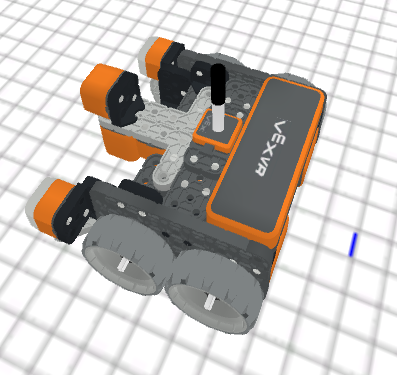
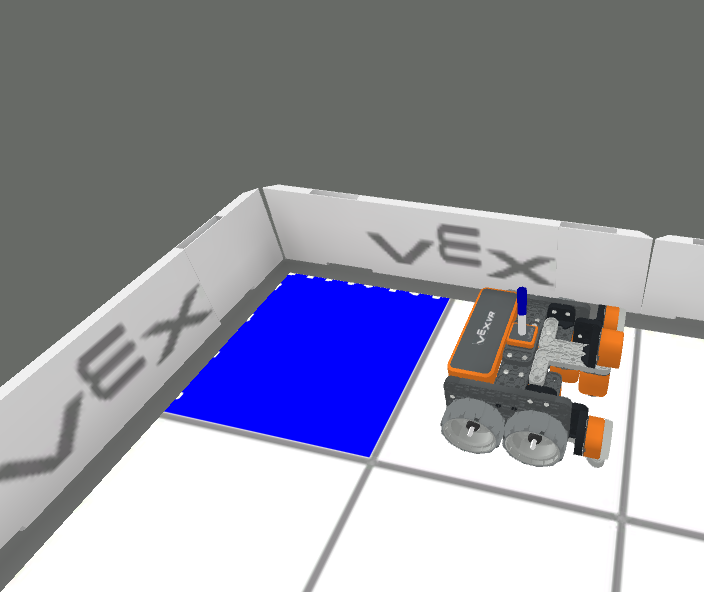
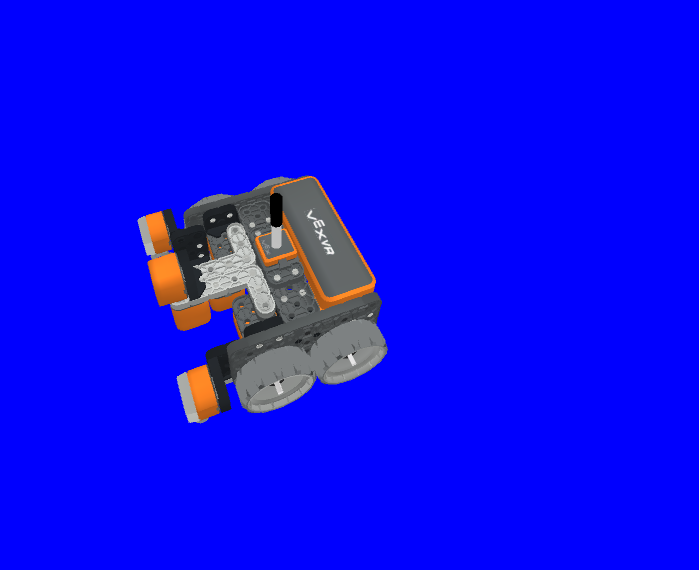
이는 대기 없는 메서드이므로 이후의 메서드들이 지연 없이 실행될 수 있습니다.
매개변수 |
설명 |
|---|---|
|
RGB 값에서 빨간색의 강도는 0에서 255까지의 범위를 갖습니다. |
|
RGB 값에서 녹색의 강도는 0에서 255까지의 범위를 갖습니다. |
|
RGB 값에서 파란색의 강도는 0에서 255까지의 범위를 갖습니다. |
|
VR 펜 색상의 투명도는 0%에서 100%까지 조절 가능합니다. |
반품: 없음.
def main():
    # Fill the playground's floor with blue at full opacity.
    pen.fill(43, 162, 202, 100)
인쇄#
brain.print#
brain.print(value, precision = 0) 메서드는 단어, 숫자 및 보고된 값을 출력 콘솔에 출력하는 데 사용됩니다.
이는 대기 없는 메서드이므로 이후의 메서드들이 지연 없이 실행될 수 있습니다.
매개변수 |
설명 |
|---|---|
|
값을 보고하는 모든 단어, 숫자 또는 센서. 단어는 반드시 따옴표로 묶어야 합니다: |
|
Optional. The amount of decimals reported from a value from a sensor or variable, from |
반품: 없음.
def main():
    # Print the Drivetrain's current heading in degrees with 2 decimal points.
    brain.print("Drivetrain's heading:",
        drivetrain.heading(DEGREES), precision = 2)
brain.clear#
brain.clear() 메서드는 출력 콘솔의 모든 행을 지우고 커서를 첫 번째 줄로 재설정하는 데 사용됩니다.
이는 대기 없는 메서드이므로 이후의 메서드들이 지연 없이 실행될 수 있습니다.
반품: 없음.
def main():
    # Print "Project has started."
    brain.print("Project has started.")
    # Wait 3 seconds.
    wait(3, SECONDS)
    # Clear the print console.
    brain.clear()
brain.new_line#
brain.new_line() 메서드는 출력 콘솔에서 커서를 새 줄로 설정하는 데 사용됩니다.
이는 대기 없는 메서드이므로 이후의 메서드들이 지연 없이 실행될 수 있습니다.
반품: 없음.
def main():
    # Print "Project has started."
    brain.print("Project has started.")
    # Move the cursor to a new line.
    brain.new_line()
brain.set_print_color#
brain.set_print_color(color) 메서드는 인쇄 콘솔에 출력되는 텍스트의 색상을 설정하는 데 사용됩니다.
이는 대기 없는 메서드이므로 이후의 메서드들이 지연 없이 실행될 수 있습니다.
매개변수 |
설명 |
|---|---|
|
인쇄할 텍스트 색상: |
반품: 없음.
def main():
    # Set the print text color to red.
    brain.set_print_color(RED)
    # Print a message.
    brain.print("This is red!")
모니터 변수#
monitor_variable(“variable”, …) 메서드는 변수를 모니터 콘솔에 추가하여 변수 값을 확인하고 모니터링할 수 있도록 하는 데 사용됩니다.
이는 대기 없는 메서드이므로 이후의 메서드들이 지연 없이 실행될 수 있습니다.
매개변수 |
설명 |
|---|---|
|
이전에 설정된 전역 변수. |
반품: 없음.
# Create global variable.
disk_count = 1

def main():
    # Add disk_count to the Monitor Console.
    monitor_variable("disk_count")
모니터 센서#
monitor_sensor(“sensor”, …) 메서드는 센서 값을 모니터링할 수 있도록 센서를 모니터 콘솔에 추가하는 데 사용됩니다.
이는 대기 없는 메서드이므로 이후의 메서드들이 지연 없이 실행될 수 있습니다.
매개변수 |
설명 |
|---|---|
|
지원되는 모든 센서 식별자. |
반품: 없음.
지원되는 센서 식별자:
brain.timer.timedrivetrain.is_donedrivetrain.is_movingdrivetrain.headingdrivetrain.rotationdrivetrain.velocity_rpmdrivetrain.velocity_percentarm_motor.is_donearm_motor.is_spinningarm_motor.position_degreesarm_motor.position_turnsarm_motor.velocity_rpmarm_motor.velocity_percentarm_motor_group.is_donearm_motor_group.is_spinningarm_motor_group.position_degreesarm_motor_group.position_turnsarm_motor_group.velocity_rpmarm_motor_group.velocity_percentintake_motor.is_doneintake_motor.is_spinningintake_motor.position_degreesintake_motor.position_turnsintake_motor.velocity_rpmintake_motor.velocity_percentintake_motor_group.is_doneintake_motor_group.is_spinningintake_motor_group.position_degreesintake_motor_group.position_turnsintake_motor_group.velocity_rpmintake_motor_group.velocity_percentcatapult_motor.is_donecatapult_motor.is_spinningcatapult_motor.position_degreescatapult_motor.position_turnscatapult_motor.velocity_rpmcatapult_motor.velocity_percentcatapult_tension_motor.is_donecatapult_tension_motor.is_spinningcatapult_tension_motor.position_degreescatapult_tension_motor.position_turnscatapult_tension_motor.velocity_rpmcatapult_tension_motor.velocity_percentintake_bumper.pressingbumper.pressingfront_distance.is_object_detectedfront_distance.object_distance_mmfront_distance.object_distance_inchesfront_optical.is_near_objectfront_optical.colorfront_optical.brightnessfront_optical.huecolor.is_near_objectcolor.colorcolor.brightnesscolor.hue
def main():
    # Add the VR Robot's positional coordinates to the monitor console.
    monitor_sensor("location.position")