
外觀#
筆#
pen.move#
pen.move(action) 方法用來設定 VR Pen 的位置。
這是一個非等待方法,允許任何後續方法立即執行。
參數 |
描述 |
|---|---|
|
VR筆的設定位置為 |
傳回值:無。
UP- 這支筆無法在操場上畫線。DOWN- 這支筆會在操場上畫一條彩色的線。
def main():
    # Position the VR Pen down.
    pen.move(DOWN)
    # Move forward for 400 mm to draw a line.
    drivetrain.drive_for(FORWARD, 400, MM)
pen.set_pen_color#
pen.set_pen_color(color) 方法用來設定 VR 筆的顏色。
這是一個非等待方法,允許任何後續方法立即執行。
參數 |
描述 |
|---|---|
|
The color of the VR Pen: |
傳回值:無。
def main():
    # Move the VR Pen down.
    pen.move(DOWN)
    # Set the VR Pen color to blue.
    pen.set_pen_color(BLUE)
    # Drive forward for 400 mm to draw a line.
    drivetrain.drive_for(FORWARD, 400, MM)
pen.set_pen_width#
pen.set_pen_width(width) 方法用來設定 VR Pen 的寬度。
這是一個非等待方法,允許任何後續方法立即執行。
參數 |
描述 |
|---|---|
|
VR筆的寬度: |
傳回值:無。
預設的 VR 筆寬度為 THIN。
def main():
    # Move the VR Pen down.
    pen.move(DOWN)
    # Set the VR Pen's width to medium.
    pen.set_pen_width(MEDIUM)
    # Drive forward for 400 mm to draw a line.
    drivetrain.drive_for(FORWARD, 400, MM)
pen.set_pen_color_rgb#
pen.set_pen_color_rgb(red, green, blue, opacity) 方法用來設定 VR 筆顏色的 RGB 值。
這是一個非等待方法,允許任何後續方法立即執行。
參數 |
描述 |
|---|---|
|
RGB 值中紅色顏色的強度,範圍從 0 到 255。 |
|
RGB 值中綠色的強度,範圍從 0 到 255。 |
|
RGB 值中藍色的強度,範圍從 0 到 255。 |
|
VR筆顏色的透明度,範圍從0%到100%。 |
傳回值:無。
def main():
    # Move the VR Pen down.
    pen.move(DOWN)
    # Set the color to orange at full opacity.
    pen.set_pen_color_rgb(225, 112, 52, 100)
    # Drive forward for 400 MM to draw a line.
    drivetrain.drive_for(FORWARD, 400, MM)
pen.fill#
pen.fill(red, green, blue, opacity) 方法會填滿 VR 筆所在物體的形狀,例如:
|
|
|
|---|---|---|
網格線 |
網格方塊 |
在沒有格子的操場上,它會鋪滿整個操場地面。 |
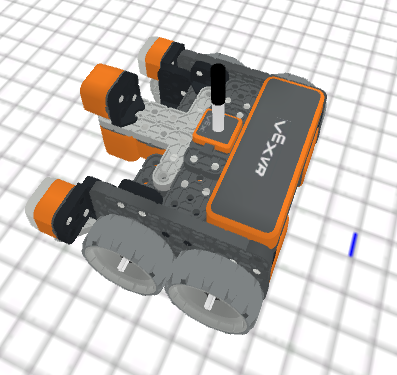
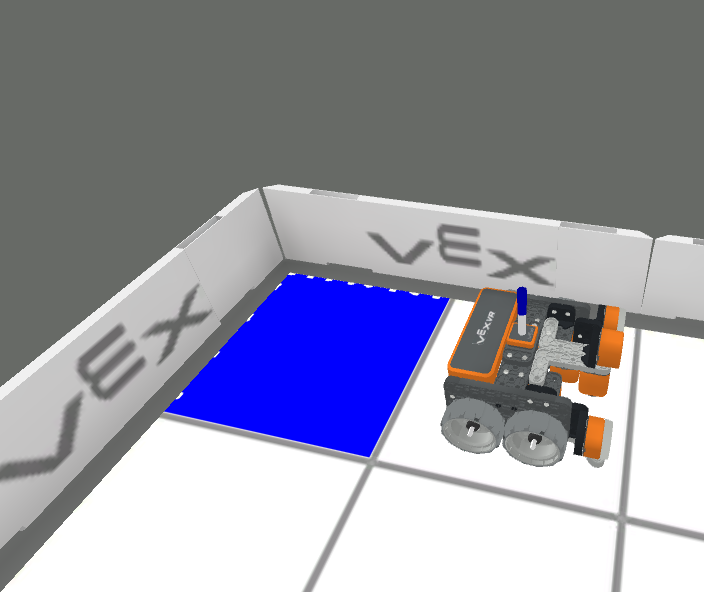
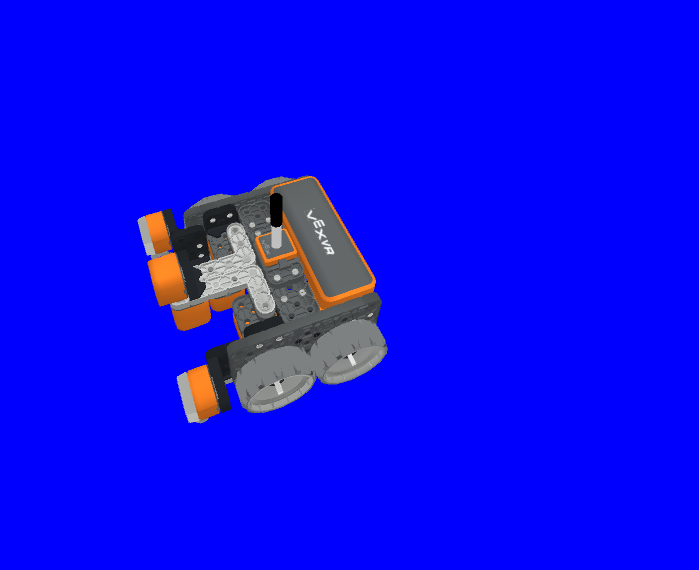
這是一個非等待方法,允許任何後續方法立即執行。
參數 |
描述 |
|---|---|
|
RGB 值中紅色顏色的強度,範圍從 0 到 255。 |
|
RGB 值中綠色的強度,範圍從 0 到 255。 |
|
RGB 值中藍色的強度,範圍從 0 到 255。 |
|
VR筆顏色的透明度,範圍從0%到100%。 |
傳回值:無。
def main():
    # Fill the playground's floor with blue at full opacity.
    pen.fill(43, 162, 202, 100)
列印#
brain.print#
brain.print(value, precision = 0) 用於將單字、數字和報告的值列印到列印控制台。
這是一個非等待方法,允許任何後續方法立即執行。
參數 |
描述 |
|---|---|
|
任何能報告數值的文字、數字或感測器。文字必須用引號括起來: |
|
Optional. The amount of decimals reported from a value from a sensor or variable, from |
傳回值:無。
def main():
    # Print the Drivetrain's current heading in degrees with 2 decimal points.
    brain.print("Drivetrain's heading:",
        drivetrain.heading(DEGREES), precision = 2)
brain.clear#
brain.clear() 方法用於清除列印控制台中的所有行,並將遊標重設為第一行。
這是一個非等待方法,允許任何後續方法立即執行。
傳回值:無。
def main():
    # Print "Project has started."
    brain.print("Project has started.")
    # Wait 3 seconds.
    wait(3, SECONDS)
    # Clear the print console.
    brain.clear()
brain.new_line#
brain.new_line() 方法用於在列印控制台中將遊標設定到新行。
這是一個非等待方法,允許任何後續方法立即執行。
傳回值:無。
def main():
    # Print "Project has started."
    brain.print("Project has started.")
    # Move the cursor to a new line.
    brain.new_line()
brain.set_print_color#
brain.set_print_color(color) 用於設定列印到列印控制台的文字顏色。
這是一個非等待方法,允許任何後續方法立即執行。
參數 |
描述 |
|---|---|
|
The color of the text to be printed: |
傳回值:無。
def main():
    # Set the print text color to red.
    brain.set_print_color(RED)
    # Print a message.
    brain.print("This is red!")
監控變數#
monitor_variable(“variable”, …) 方法用於向監視器控制台新增變量,以便可以查看和監視變數的值。
這是一個非等待方法,允許任何後續方法立即執行。
參數 |
描述 |
|---|---|
|
任何先前設定的全域變數。 |
傳回值:無。
# Create global variable.
disk_count = 1

def main():
    # Add disk_count to the Monitor Console.
    monitor_variable("disk_count")
監控感測器#
monitor_sensor(“sensor”, …) 方法用於在監視器控制台上新增感測器,以便可以監視感測器值。
這是一個非等待方法,允許任何後續方法立即執行。
參數 |
描述 |
|---|---|
|
任何受支援的傳感器標識符。 |
傳回值:無。
支援的感測器標識符:
brain.timer.timedrivetrain.is_donedrivetrain.is_movingdrivetrain.headingdrivetrain.rotationdrivetrain.velocity_rpmdrivetrain.velocity_percentarm_motor.is_donearm_motor.is_spinningarm_motor.position_degreesarm_motor.position_turnsarm_motor.velocity_rpmarm_motor.velocity_percentarm_motor_group.is_donearm_motor_group.is_spinningarm_motor_group.position_degreesarm_motor_group.position_turnsarm_motor_group.velocity_rpmarm_motor_group.velocity_percentintake_motor.is_doneintake_motor.is_spinningintake_motor.position_degreesintake_motor.position_turnsintake_motor.velocity_rpmintake_motor.velocity_percentintake_motor_group.is_doneintake_motor_group.is_spinningintake_motor_group.position_degreesintake_motor_group.position_turnsintake_motor_group.velocity_rpmintake_motor_group.velocity_percentcatapult_motor.is_donecatapult_motor.is_spinningcatapult_motor.position_degreescatapult_motor.position_turnscatapult_motor.velocity_rpmcatapult_motor.velocity_percentcatapult_tension_motor.is_donecatapult_tension_motor.is_spinningcatapult_tension_motor.position_degreescatapult_tension_motor.position_turnscatapult_tension_motor.velocity_rpmcatapult_tension_motor.velocity_percentintake_bumper.pressingbumper.pressingfront_distance.is_object_detectedfront_distance.object_distance_mmfront_distance.object_distance_inchesfront_optical.is_near_objectfront_optical.colorfront_optical.brightnessfront_optical.huecolor.is_near_objectcolor.colorcolor.brightnesscolor.hue
def main():
    # Add the VR Robot's positional coordinates to the monitor console.
    monitor_sensor("location.position")