
見た目#
ペン#
pen.move#
pen.move(action) メソッドは、VR ペンの位置を設定するために使用されます。
これは待機しない方法であり、後続のメソッドが遅延なく実行されることを可能にします。
パラメータ |
説明 |
|---|---|
|
VRペンの設定位置は |
返品: なし。
UP- ペンは遊び場に線を引かない。DOWN- ペンが遊び場に色付きの線を引きます。
def main():
    # Position the VR Pen down.
    pen.move(DOWN)
    # Move forward for 400 mm to draw a line.
    drivetrain.drive_for(FORWARD, 400, MM)
pen.set_pen_color#
pen.set_pen_color(color) メソッドは、VR ペンの色を設定するために使用されます。
これは待機しない方法であり、後続のメソッドが遅延なく実行されることを可能にします。
パラメータ |
説明 |
|---|---|
|
The color of the VR Pen: |
返品: なし。
def main():
    # Move the VR Pen down.
    pen.move(DOWN)
    # Set the VR Pen color to blue.
    pen.set_pen_color(BLUE)
    # Drive forward for 400 mm to draw a line.
    drivetrain.drive_for(FORWARD, 400, MM)
pen.set_pen_width#
pen.set_pen_width(width) メソッドは、VR ペンの幅を設定するために使用されます。
これは待機しない方法であり、後続のメソッドが遅延なく実行されることを可能にします。
パラメータ |
説明 |
|---|---|
|
VRペンの幅: |
返品: なし。
VRペンのデフォルトの幅は THINです。
def main():
    # Move the VR Pen down.
    pen.move(DOWN)
    # Set the VR Pen's width to medium.
    pen.set_pen_width(MEDIUM)
    # Drive forward for 400 mm to draw a line.
    drivetrain.drive_for(FORWARD, 400, MM)
pen.set_pen_color_rgb#
pen.set_pen_color_rgb(red, green, blue, opacity) メソッドは、VR ペンの色の RGB 値を設定するために使用されます。
これは待機しない方法であり、後続のメソッドが遅延なく実行されることを可能にします。
パラメータ |
説明 |
|---|---|
|
RGB値における赤色の強度を表し、0から255までの範囲をとります。 |
|
RGB値における緑色の強度。0から255までの範囲で表されます。 |
|
RGB値における青色の強度。0から255までの範囲で表されます。 |
|
VRペンの色の透明度を0~100パーセントの範囲で調整できます。 |
返品: なし。
def main():
    # Move the VR Pen down.
    pen.move(DOWN)
    # Set the color to orange at full opacity.
    pen.set_pen_color_rgb(225, 112, 52, 100)
    # Drive forward for 400 MM to draw a line.
    drivetrain.drive_for(FORWARD, 400, MM)
pen.fill#
pen.fill(red, green, blue, opacity) メソッドは、VRペンが置かれている形状を塗りつぶします。例:
|
|
|
|---|---|---|
グリッド線 |
グリッドスクエア |
格子状のレイアウトがない遊び場では、遊び場の床面全体を覆う。 |
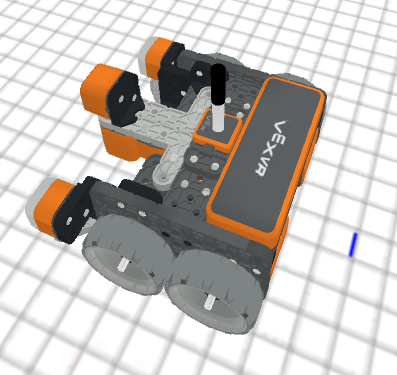
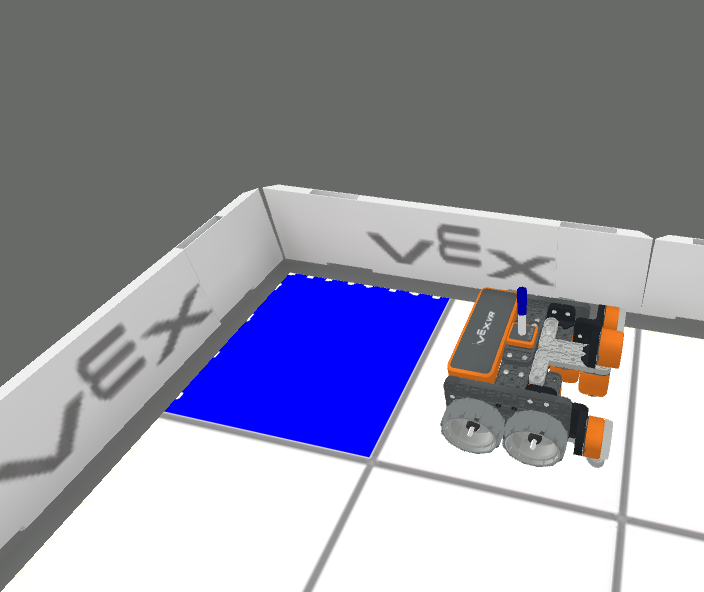
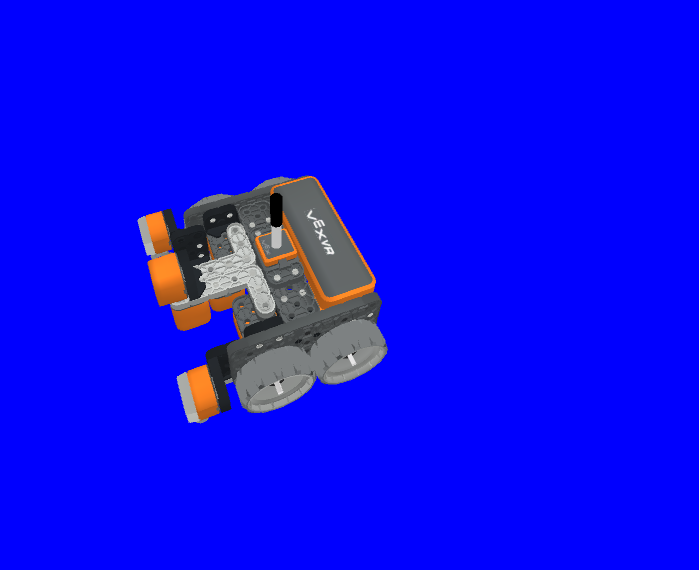
これは待機しない方法であり、後続のメソッドが遅延なく実行されることを可能にします。
パラメータ |
説明 |
|---|---|
|
RGB値における赤色の強度を表し、0から255までの範囲をとります。 |
|
RGB値における緑色の強度。0から255までの範囲で表されます。 |
|
RGB値における青色の強度。0から255までの範囲で表されます。 |
|
VRペンの色の透明度を0~100パーセントの範囲で調整できます。 |
返品: なし。
def main():
    # Fill the playground's floor with blue at full opacity.
    pen.fill(43, 162, 202, 100)
印刷#
brain.print#
brain.print(value, precision = 0) メソッドは、単語、数値、および報告された値をプリント コンソールに出力するために使用されます。
これは待機しない方法であり、後続のメソッドが遅延なく実行されることを可能にします。
パラメータ |
説明 |
|---|---|
|
値を報告する単語、数字、またはセンサー。単語は引用符で囲む必要があります: |
|
オプション。センサーまたは変数からの値から報告される小数点以下の桁数。精度 |
返品: なし。
def main():
    # Print the Drivetrain's current heading in degrees with 2 decimal points.
    brain.print("Drivetrain's heading:",
        drivetrain.heading(DEGREES), precision = 2)
brain.clear#
brain.clear() メソッドは、印刷コンソールのすべての行をクリアし、カーソルを最初の行にリセットするために使用されます。
これは待機しない方法であり、後続のメソッドが遅延なく実行されることを可能にします。
返品: なし。
def main():
    # Print "Project has started."
    brain.print("Project has started.")
    # Wait 3 seconds.
    wait(3, SECONDS)
    # Clear the print console.
    brain.clear()
brain.new_line#
brain.new_line() メソッドは、プリントコンソールでカーソルを新しい行に設定するために使用されます。
これは待機しない方法であり、後続のメソッドが遅延なく実行されることを可能にします。
返品: なし。
def main():
    # Print "Project has started."
    brain.print("Project has started.")
    # Move the cursor to a new line.
    brain.new_line()
brain.set_print_color#
brain.set_print_color(color) メソッドは、プリントコンソールに印刷されるテキストの色を設定するために使用されます。
これは待機しない方法であり、後続のメソッドが遅延なく実行されることを可能にします。
パラメータ |
説明 |
|---|---|
|
The color of the text to be printed: |
返品: なし。
def main():
    # Set the print text color to red.
    brain.set_print_color(RED)
    # Print a message.
    brain.print("This is red!")
モニター変数#
monitor_variable(“variable”, …) メソッドは、変数をモニター コンソールに追加して、変数の値を表示および監視できるようにするために使用されます。
これは待機しない方法であり、後続のメソッドが遅延なく実行されることを可能にします。
パラメータ |
説明 |
|---|---|
|
以前に設定されたグローバル変数。 |
返品: なし。
# Create global variable.
disk_count = 1

def main():
    # Add disk_count to the Monitor Console.
    monitor_variable("disk_count")
モニターセンサー#
monitor_sensor(“sensor”, …) メソッドは、センサー値を監視できるように、センサーをモニター コンソールに追加するために使用されます。
これは待機しない方法であり、後続のメソッドが遅延なく実行されることを可能にします。
パラメータ |
説明 |
|---|---|
|
サポートされている任意のセンサー識別子。 |
返品: なし。
サポートされているセンサー識別子:
brain.timer.timedrivetrain.is_donedrivetrain.is_movingdrivetrain.headingdrivetrain.rotationdrivetrain.velocity_rpmdrivetrain.velocity_percentarm_motor.is_donearm_motor.is_spinningarm_motor.position_degreesarm_motor.position_turnsarm_motor.velocity_rpmarm_motor.velocity_percentarm_motor_group.is_donearm_motor_group.is_spinningarm_motor_group.position_degreesarm_motor_group.position_turnsarm_motor_group.velocity_rpmarm_motor_group.velocity_percentintake_motor.is_doneintake_motor.is_spinningintake_motor.position_degreesintake_motor.position_turnsintake_motor.velocity_rpmintake_motor.velocity_percentintake_motor_group.is_doneintake_motor_group.is_spinningintake_motor_group.position_degreesintake_motor_group.position_turnsintake_motor_group.velocity_rpmintake_motor_group.velocity_percentcatapult_motor.is_donecatapult_motor.is_spinningcatapult_motor.position_degreescatapult_motor.position_turnscatapult_motor.velocity_rpmcatapult_motor.velocity_percentcatapult_tension_motor.is_donecatapult_tension_motor.is_spinningcatapult_tension_motor.position_degreescatapult_tension_motor.position_turnscatapult_tension_motor.velocity_rpmcatapult_tension_motor.velocity_percentintake_bumper.pressingbumper.pressingfront_distance.is_object_detectedfront_distance.object_distance_mmfront_distance.object_distance_inchesfront_optical.is_near_objectfront_optical.colorfront_optical.brightnessfront_optical.huecolor.is_near_objectcolor.colorcolor.brightnesscolor.hue
def main():
    # Add the VR Robot's positional coordinates to the monitor console.
    monitor_sensor("location.position")