
ดูเหมือน#
ปากกา#
pen.move#
เมธอด pen.move(action) ใช้สำหรับกำหนดตำแหน่งของปากกา VR
นี่เป็นเมธอดที่ไม่ต้องรอ และอนุญาตให้เมธอดถัดไปดำเนินการได้โดยไม่ล่าช้า
พารามิเตอร์ |
คำอธิบาย |
|---|---|
|
ตำแหน่งที่ตั้งของปากกา VR คือ |
การคืนสินค้า: ไม่มี
UP- ปากกาไม่สามารถลากเส้นบนสนามเด็กเล่นได้DOWN- ปากกาจะวาดเส้นสีบนสนามเด็กเล่น
def main():
    # Position the VR Pen down.
    pen.move(DOWN)
    # Move forward for 400 mm to draw a line.
    drivetrain.drive_for(FORWARD, 400, MM)
pen.set_pen_color#
เมธอด pen.set_pen_color(color) ใช้สำหรับตั้งค่าสีของปากกา VR
นี่เป็นเมธอดที่ไม่ต้องรอ และอนุญาตให้เมธอดถัดไปดำเนินการได้โดยไม่ล่าช้า
พารามิเตอร์ |
คำอธิบาย |
|---|---|
|
สีของปากกา VR: |
การคืนสินค้า: ไม่มี
def main():
    # Move the VR Pen down.
    pen.move(DOWN)
    # Set the VR Pen color to blue.
    pen.set_pen_color(BLUE)
    # Drive forward for 400 mm to draw a line.
    drivetrain.drive_for(FORWARD, 400, MM)
pen.set_pen_width#
เมธอด pen.set_pen_width(width) ใช้สำหรับกำหนดความกว้างของปากกา VR
นี่เป็นเมธอดที่ไม่ต้องรอ และอนุญาตให้เมธอดถัดไปดำเนินการได้โดยไม่ล่าช้า
พารามิเตอร์ |
คำอธิบาย |
|---|---|
|
ความกว้างของปากกา VR: |
การคืนสินค้า: ไม่มี
ความกว้างของปากกา VR โดยค่าเริ่มต้นคือ THIN
def main():
    # Move the VR Pen down.
    pen.move(DOWN)
    # Set the VR Pen's width to medium.
    pen.set_pen_width(MEDIUM)
    # Drive forward for 400 mm to draw a line.
    drivetrain.drive_for(FORWARD, 400, MM)
pen.set_pen_color_rgb#
เมธอด pen.set_pen_color_rgb(red, green, blue, opacity) ใช้สำหรับตั้งค่าค่า RGB ของสีปากกา VR
นี่เป็นเมธอดที่ไม่ต้องรอ และอนุญาตให้เมธอดถัดไปดำเนินการได้โดยไม่ล่าช้า
พารามิเตอร์ |
คำอธิบาย |
|---|---|
|
ความเข้มของสีแดงในค่า RGB มีค่าตั้งแต่ 0 ถึง 255 |
|
ความเข้มของสีเขียวในค่า RGB มีค่าตั้งแต่ 0 ถึง 255 |
|
ความเข้มของสีน้ำเงินในค่า RGB มีค่าตั้งแต่ 0 ถึง 255 |
|
ระดับความโปร่งใสของสีจากปากกา VR สามารถปรับได้ตั้งแต่ 0 ถึง 100 เปอร์เซ็นต์ |
การคืนสินค้า: ไม่มี
def main():
    # Move the VR Pen down.
    pen.move(DOWN)
    # Set the color to orange at full opacity.
    pen.set_pen_color_rgb(225, 112, 52, 100)
    # Drive forward for 400 MM to draw a line.
    drivetrain.drive_for(FORWARD, 400, MM)
pen.fill#
เมธอด pen.fill(red, green, blue, opacity) จะเติมสีตามรูปทรงของสิ่งที่ปากกา VR วางอยู่ ตัวอย่างเช่น:
|
|
|
|---|---|---|
เส้นตาราง |
ตารางสี่เหลี่ยม |
ในสนามเด็กเล่นที่ไม่มีตารางกริด มันจะครอบคลุมพื้นที่สนามเด็กเล่นทั้งหมด |
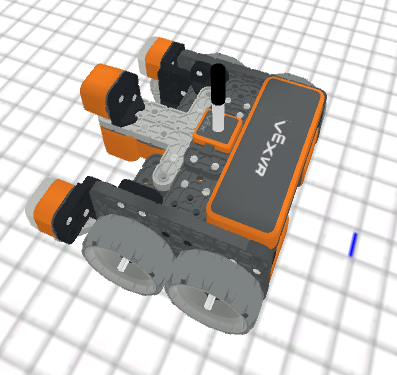
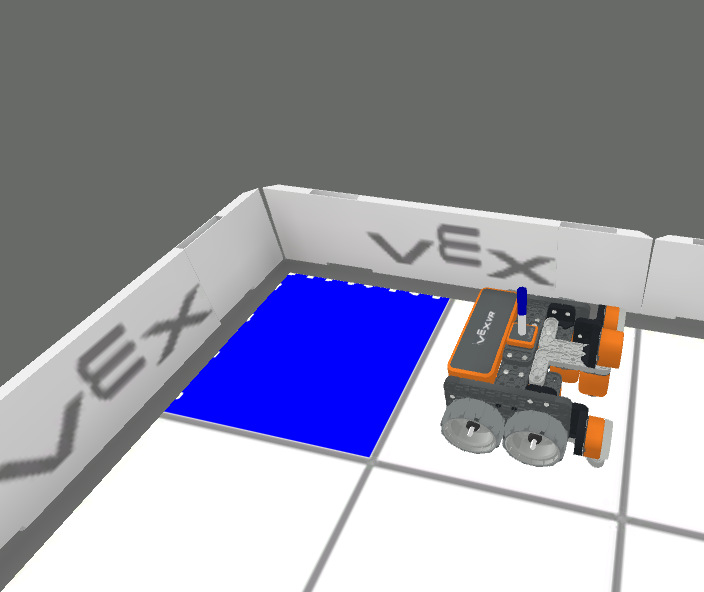
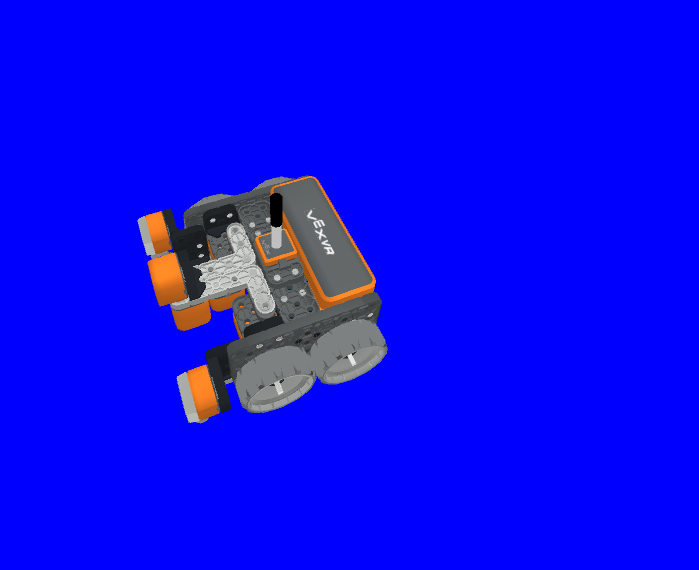
นี่เป็นเมธอดที่ไม่ต้องรอ และอนุญาตให้เมธอดถัดไปดำเนินการได้โดยไม่ล่าช้า
พารามิเตอร์ |
คำอธิบาย |
|---|---|
|
ความเข้มของสีแดงในค่า RGB มีค่าตั้งแต่ 0 ถึง 255 |
|
ความเข้มของสีเขียวในค่า RGB มีค่าตั้งแต่ 0 ถึง 255 |
|
ความเข้มของสีน้ำเงินในค่า RGB มีค่าตั้งแต่ 0 ถึง 255 |
|
ระดับความโปร่งใสของสีจากปากกา VR สามารถปรับได้ตั้งแต่ 0 ถึง 100 เปอร์เซ็นต์ |
การคืนสินค้า: ไม่มี
def main():
    # Fill the playground's floor with blue at full opacity.
    pen.fill(43, 162, 202, 100)
พิมพ์#
brain.print#
เมธอด brain.print(value, precision = 0) ใช้สำหรับพิมพ์คำ ตัวเลข และค่าที่รายงานไปยังคอนโซลการพิมพ์
นี่เป็นเมธอดที่ไม่ต้องรอ และอนุญาตให้เมธอดถัดไปดำเนินการได้โดยไม่ล่าช้า
พารามิเตอร์ |
คำอธิบาย |
|---|---|
|
คำ ตัวเลข หรือข้อมูลจากเซ็นเซอร์ที่รายงานค่า คำต้องอยู่ในเครื่องหมายอัญประกาศ: |
|
Optional. The amount of decimals reported from a value from a sensor or variable, from |
การคืนสินค้า: ไม่มี
def main():
    # Print the Drivetrain's current heading in degrees with 2 decimal points.
    brain.print("Drivetrain's heading:",
        drivetrain.heading(DEGREES), precision = 2)
brain.clear#
เมธอด brain.clear() ใช้สำหรับล้างแถวทั้งหมดในคอนโซลการพิมพ์และรีเซ็ตเคอร์เซอร์ไปที่บรรทัดแรก
นี่เป็นเมธอดที่ไม่ต้องรอ และอนุญาตให้เมธอดถัดไปดำเนินการได้โดยไม่ล่าช้า
การคืนสินค้า: ไม่มี
def main():
    # Print "Project has started."
    brain.print("Project has started.")
    # Wait 3 seconds.
    wait(3, SECONDS)
    # Clear the print console.
    brain.clear()
brain.new_line#
เมธอด brain.new_line() ใช้สำหรับตั้งเคอร์เซอร์ให้ขึ้นบรรทัดใหม่ในคอนโซลการพิมพ์
นี่เป็นเมธอดที่ไม่ต้องรอ และอนุญาตให้เมธอดถัดไปดำเนินการได้โดยไม่ล่าช้า
การคืนสินค้า: ไม่มี
def main():
    # Print "Project has started."
    brain.print("Project has started.")
    # Move the cursor to a new line.
    brain.new_line()
brain.set_print_color#
เมธอด brain.set_print_color(color) ใช้สำหรับตั้งค่าสีของข้อความที่พิมพ์ไปยังคอนโซลการพิมพ์
นี่เป็นเมธอดที่ไม่ต้องรอ และอนุญาตให้เมธอดถัดไปดำเนินการได้โดยไม่ล่าช้า
พารามิเตอร์ |
คำอธิบาย |
|---|---|
|
สีของข้อความที่จะพิมพ์: |
การคืนสินค้า: ไม่มี
def main():
    # Set the print text color to red.
    brain.set_print_color(RED)
    # Print a message.
    brain.print("This is red!")
ตัวแปรมอนิเตอร์#
เมธอด monitor_variable(“variable”, …) ใช้สำหรับเพิ่มตัวแปรลงในคอนโซลตรวจสอบ เพื่อให้สามารถมองเห็นและตรวจสอบค่าของตัวแปรได้
นี่เป็นเมธอดที่ไม่ต้องรอ และอนุญาตให้เมธอดถัดไปดำเนินการได้โดยไม่ล่าช้า
พารามิเตอร์ |
คำอธิบาย |
|---|---|
|
ตัวแปรส่วนกลางที่ตั้งไว้ก่อนหน้านี้ |
การคืนสินค้า: ไม่มี
# Create global variable.
disk_count = 1

def main():
    # Add disk_count to the Monitor Console.
    monitor_variable("disk_count")
มอนิเตอร์เซนเซอร์#
เมธอด monitor_sensor(“sensor”, …) ใช้สำหรับเพิ่มเซ็นเซอร์ลงในคอนโซลมอนิเตอร์ เพื่อให้สามารถตรวจสอบค่าของเซ็นเซอร์ได้
นี่เป็นเมธอดที่ไม่ต้องรอ และอนุญาตให้เมธอดถัดไปดำเนินการได้โดยไม่ล่าช้า
พารามิเตอร์ |
คำอธิบาย |
|---|---|
|
ตัวระบุเซ็นเซอร์ที่รองรับใดๆ ก็ได้ |
การคืนสินค้า: ไม่มี
ตัวระบุเซ็นเซอร์ที่รองรับ:
brain.timer.timedrivetrain.is_donedrivetrain.is_movingdrivetrain.headingdrivetrain.rotationdrivetrain.velocity_rpmdrivetrain.velocity_percentarm_motor.is_donearm_motor.is_spinningarm_motor.position_degreesarm_motor.position_turnsarm_motor.velocity_rpmarm_motor.velocity_percentarm_motor_group.is_donearm_motor_group.is_spinningarm_motor_group.position_degreesarm_motor_group.position_turnsarm_motor_group.velocity_rpmarm_motor_group.velocity_percentintake_motor.is_doneintake_motor.is_spinningintake_motor.position_degreesintake_motor.position_turnsintake_motor.velocity_rpmintake_motor.velocity_percentintake_motor_group.is_doneintake_motor_group.is_spinningintake_motor_group.position_degreesintake_motor_group.position_turnsintake_motor_group.velocity_rpmintake_motor_group.velocity_percentcatapult_motor.is_donecatapult_motor.is_spinningcatapult_motor.position_degreescatapult_motor.position_turnscatapult_motor.velocity_rpmcatapult_motor.velocity_percentcatapult_tension_motor.is_donecatapult_tension_motor.is_spinningcatapult_tension_motor.position_degreescatapult_tension_motor.position_turnscatapult_tension_motor.velocity_rpmcatapult_tension_motor.velocity_percentintake_bumper.pressingbumper.pressingfront_distance.is_object_detectedfront_distance.object_distance_mmfront_distance.object_distance_inchesfront_optical.is_near_objectfront_optical.colorfront_optical.brightnessfront_optical.huecolor.is_near_objectcolor.colorcolor.brightnesscolor.hue
def main():
    # Add the VR Robot's positional coordinates to the monitor console.
    monitor_sensor("location.position")