
編碼器#
介紹#
光學軸編碼器用於測量軸的旋轉位置和速度。它利用內部光學感測器檢測軸的旋轉角度和速度,因此可用於追蹤車輪旋轉、機械手臂位置或其他機械裝置。
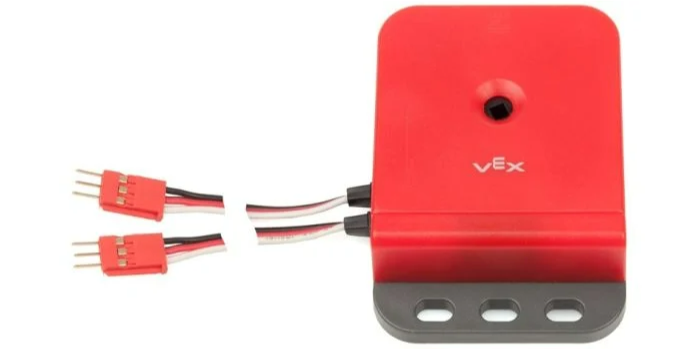
本頁使用 encoder_a 作為範例光學軸編碼器名稱。請根據需要將其替換為您自己配置的名稱。
以下是可用方法清單:
set_position– 將編碼器的目前位置設定為特定值。reset_position– 將編碼器的目前位置設為 0。position– 返回編碼器旋轉了多遠。velocity– 傳回編碼器的目前旋轉速度。
建構函式 - 手動初始化和配置光學軸編碼器。
Encoder– 建立一個光學軸編碼器。
設定位置#
set_position 將編碼器的目前位置設定為指定值。這可用於手動設定追蹤位置,而無需旋轉馬達或其他機構。
Usage:
encoder_a.set_position(position, units)
範圍 |
描述 |
|---|---|
|
將編碼器位置設定為一個數字。 |
|
可選。用於設定位置的單位: |
# Set the encoder's position to 3 turns
encoder_a.set_position(3, TURNS)
重置位置#
reset_position 將編碼器的目前位置設為 0。
Usage:
encoder_a.reset_position()
參數 |
描述 |
|---|---|
此方法沒有參數。 |
位置#
位置position 軸旋轉了多遠。
Usage:
encoder_a.position(units)
參數 |
描述 |
|---|---|
|
速度#
velocity 傳回編碼器的旋轉速度,以十進位數表示 float。
Usage:
encoder_a.velocity(units)
範圍 |
描述 |
|---|---|
|
可選。傳回速度的單位: |
建構函數#
建構函數用於手動建立 Encoder 對象,這是在 VEXcode 之外配置光學軸編碼器所必需的。
Encoder#
Encoder 建立一個光學軸編碼器。
Usage:
Encoder(port)
範圍 |
描述 |
|---|---|
|
The first of the two 3-Wire Ports that the Optical Shaft Encoder is connected to:
|
# Create an Optical Shaft Encoder in Port A and B
encoder_a = Encoder(brain.three_wire_port.a)